
Application Guide: Matching OPS PC Modules to Classroom, Meeting, and Signage Projects
Matching an OPS PC module to a project is a matching problem, not a ranking problem. The module that suits a classroom used for daily touch lessons is not automatically the right module for a meeting room running video conferencing, and neither is automatically correct for signage that plays unattended media and receives remote content updates. What decides the match is the environment, the interaction pattern and the operating schedule — not the largest number on a specification sheet.
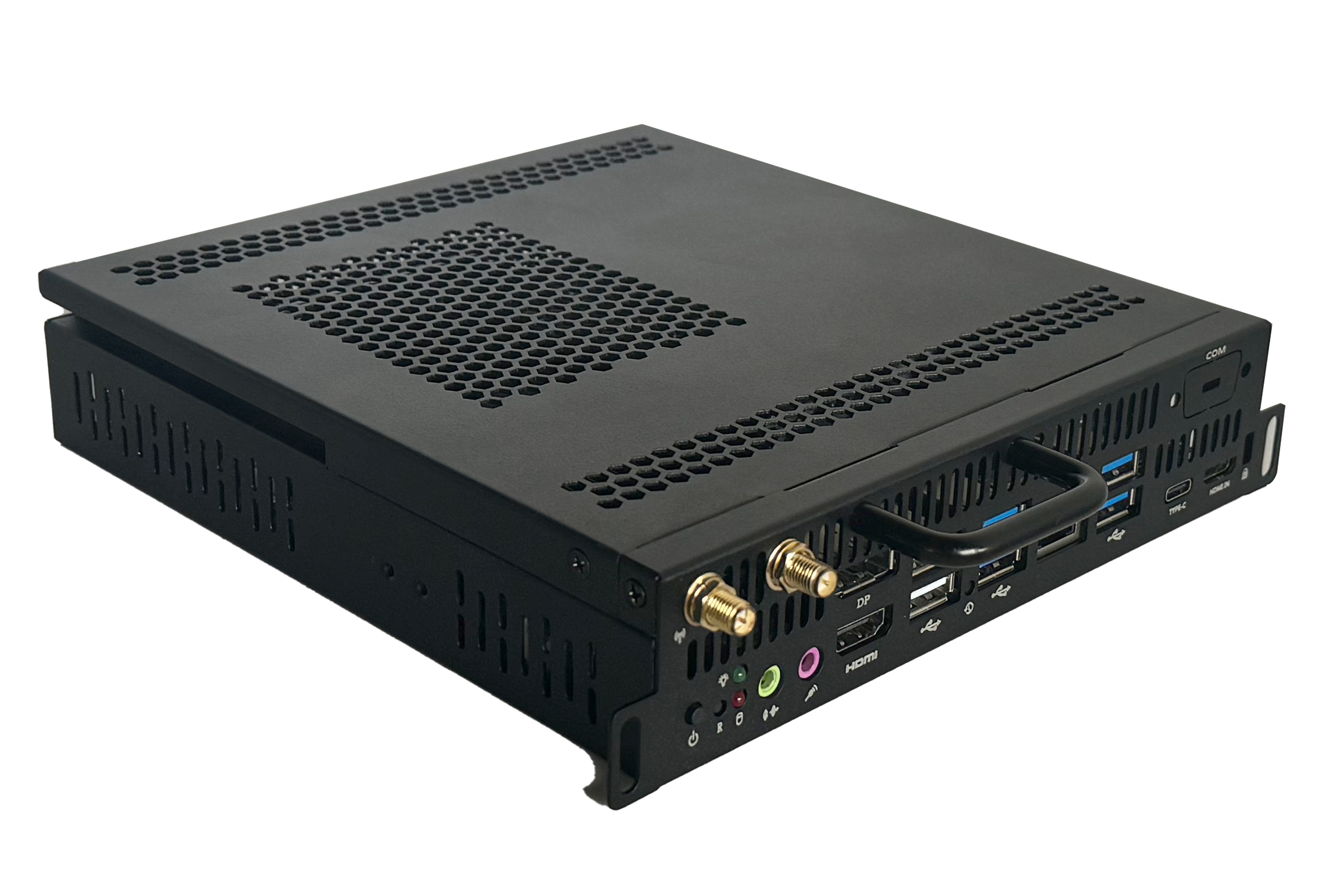
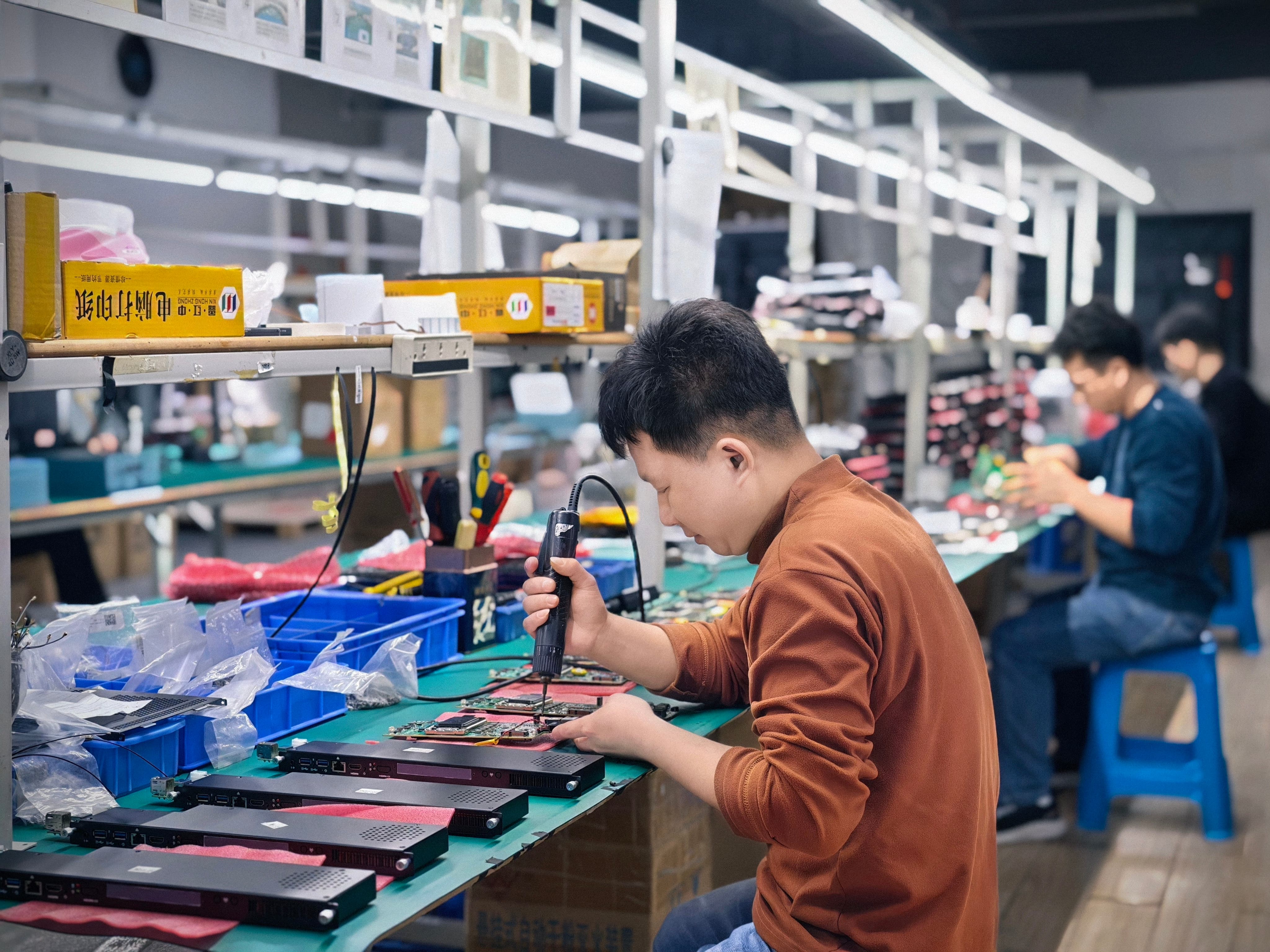
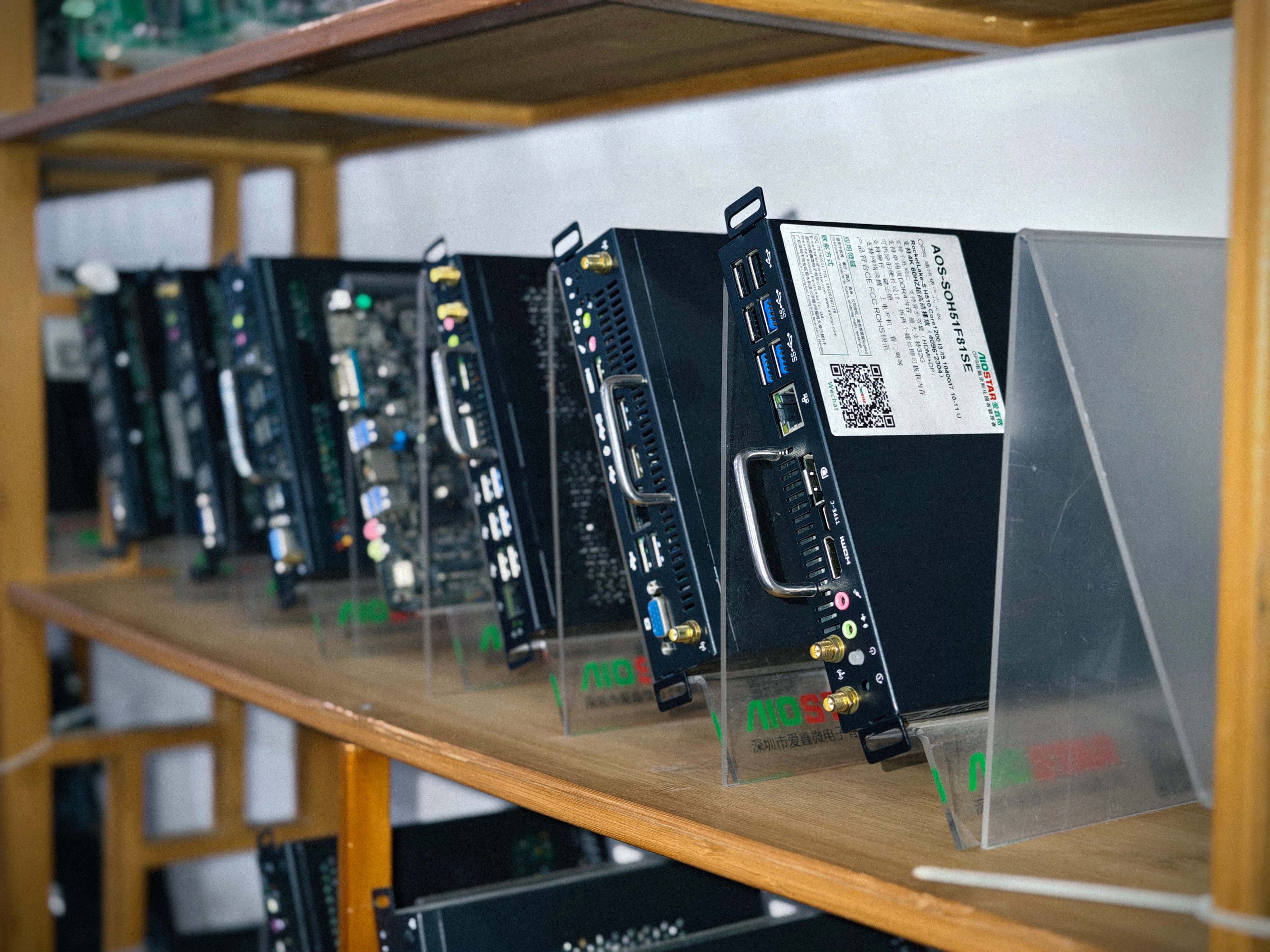
This guide maps four AIOSTAR OPS PC modules to the environments they are intended for: the AOS-SOHAUF41SC for indoor classrooms with daily touch interaction, the AOS-SOH61I41SXG for meeting room video conferencing with multi-user touch, the AOS-SOR358464H for commercial media playback with remote updates, and the AOS-SOZK6A341SXGE for domestic-platform interactive displays. Shenzhen Aiostar Electronics Co., Ltd. (AIOSTAR) is a computer hardware supplier established in 2015 in Shenzhen, China, that develops, produces and supplies OPS PCs, OPS-C pluggable computer modules, Android OPS PCs, industrial motherboards, mini PCs, BOX PCs, industrial panel PCs, servers and customized embedded computing systems.
Problem Definition: Why Spec-for-Spec Comparison Fails Display Projects
Buyers routinely shortlist OPS PC modules by comparing processor generation, memory and storage, then discover that the chosen module does not fit the display, runs hot inside the enclosure, or cannot run the required operating system image. An OPS PC is constrained by far more than compute. The comparison between a slot-in OPS PC and an external desktop PC connected to an interactive display makes the point: the slot-in module eliminates the standalone media-player enclosure and external video and power wiring, reducing external cable quantity by over 70% and occupied installation space by more than 65% in a typical deployment. Those gains only materialise when the module, the slot and the environment are genuinely matched.
Five risks decide whether a module match survives contact with a real project:
- Mechanical and interface incompatibility. OPS and OPS-C modules can differ in module dimensions, connector type, pin definition, video interface, USB and power budget. AIOSTAR controls this risk with a pre-production sample and a compatibility checklist, verifying those points plus display firmware, and testing the module on the customer's target display before confirming the final configuration.
- Operating system, BIOS or driver mismatch. The required OS version, BIOS functions, device drivers and application dependencies are confirmed before imaging, and the approved system image is validated on the final hardware configuration.
- Overheating or thermal throttling. Cooling is selected according to processor power, enclosure airflow and the display's internal temperature, with heat sink, fan and thermal contact design verified. Burn-in and thermal testing can be conducted according to the project specification before mass production.
- Component end-of-life or configuration change. A controlled bill of materials is maintained, and form, fit and function alternatives are evaluated when a component changes.
- Transport damage. Protective internal packaging is matched to the module, accessories and shipping method, with packaging checks and drop or vibration testing arranged when required by the customer or project specification.
Read together, these risks explain why environmental fit should be the first filter and specification depth the second.
Industry Background: How Slot-In Modules Fit the Display Market
OPS compute is now a structural part of the interactive display market rather than a niche accessory. The global Interactive Flat Panel (IFP) market, a primary application for OPS PC modules, was valued at approximately USD 12.6 billion in 2024. Integrated OPS-slot compute modules and Android-based SoC modules are estimated to ship in 15–25% of new Interactive Flat-Panel Display (IFPD) units, according to an IFPD market trends report published in 2023. The global Industrial Personal Computer (PC) market, which includes industrial-grade OPS modules, was estimated at USD 6.48 billion in 2024 and is projected to grow at a CAGR of 6.30% through 2032.
Estimates of that industrial PC market differ between research firms — Precedence Research puts 2024 at USD 5.36 billion while Grand View Research puts it at USD 6.48 billion — largely because of differences in how embedded and standalone systems are counted. The direction is consistent even where the absolute numbers vary, which is why buyers increasingly treat the OPS slot as a fixed design decision and the module as the variable.
Interchangeability depends on standards. Intel's Open Pluggable Specification (OPS) standardises a mechanical and electrical interface between displays and media players using a unified 80-pin JAE connector with a footprint of 180 mm × 119 mm × 30 mm. The OPS-C variant, widely adopted in the Chinese domestic market for educational interactive whiteboards, uses slightly different dimensions — typically 180.8 mm × 195.2 mm × 42.5 mm. Projects that mix the two formats without checking dimensions and pin definitions create avoidable integration work.
The application demand underneath these figures is also broadening. The global interactive whiteboard market is projected to reach USD 730 million by 2030, with OPS penetration described as a key growth driver for modular classrooms.
Matching Each AIOSTAR OPS PC Module to Its Environment
AIOSTAR's OPS range is not a single product line with cosmetic differences. Each module is positioned against a different environmental demand and operating schedule, which is why the selection conversation should start with the room, not the chip.
AOS-SOHAUF41SC for Indoor Classrooms With Daily Touch Interaction
The AOS-SOHAUF41SC is positioned for indoor classroom interactive displays where touch interaction happens daily. In this environment the module is not running occasional presentations; it is part of the teaching routine, switched on and used repeatedly through the school day. Two consequences follow for buyers. First, the module is installed in slot-in mode inside the display, so the classroom keeps a clean front-of-room surface with no separate media-player enclosure or exposed video and power wiring. Second, because the daily duty cycle is regular and repeated, the thermal and power design must be reviewed against the display's internal airflow rather than assumed from the module alone.
For classroom rollouts the practical selection trigger is straightforward: does the room use daily touch interaction on an interactive flat panel or interactive whiteboard that provides an OPS slot? If yes, the AOS-SOHAUF41SC is the environment-matched starting point. If the room mainly displays static content with occasional interaction, the environment demand is lower and the match should be re-examined rather than defaulted.
AOS-SOH61I41SXG for Meeting Rooms With Video Conferencing and Multi-User Touch
The AOS-SOH61I41SXG is positioned for meeting room displays used for video conferencing alongside multi-user touch. The distinguishing feature of this environment is not one demanding application but simultaneous ones: conferencing software running while several participants annotate, share or navigate on the same display. Meeting rooms also tend to have less forgiving expectations — sessions start on schedule and interruptions are visible to everyone in the room.
That combination moves the buyer's checklist toward software stability and peripheral readiness. The required operating system version, BIOS functions, device drivers and application dependencies should be confirmed before imaging, and the approved system image should be validated on the final hardware configuration, including functions such as Wake-on-LAN, auto power-on and watchdog where the project relies on them. For meeting rooms, those functions are not optional extras; they determine whether the display is ready when the meeting starts.
AOS-SOR358464H for Commercial Media Playback With Remote Updates
The AOS-SOR358464H is positioned for commercial media playback with remote updates. This is the environment with the least human presence and the most continuous operating pattern: signage displays are typically expected to run unattended through long schedules while content is refreshed remotely by a network or content management workflow.
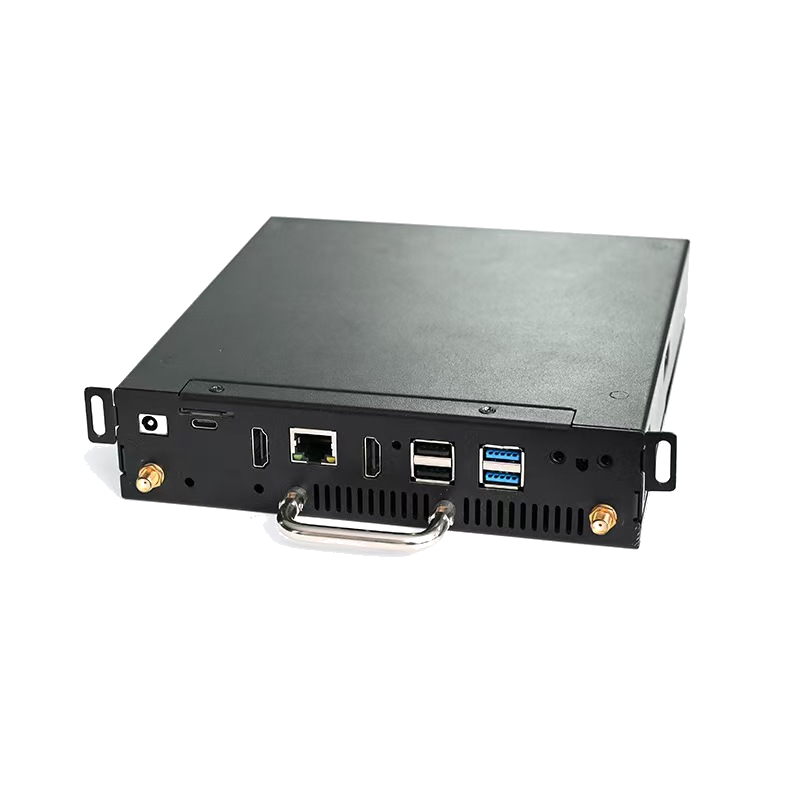
Because nobody is standing at the display to recover it, two purchasing considerations matter more here than raw compute. The first is serviceability: an OPS module can be removed from the OPS slot for replacement or software service without replacing the display panel. That is a materially different service model from a compute board fixed inside the display enclosure, where a compute failure can trigger complete-display replacement. The second is configuration control across a fleet — a controlled bill of materials and a locked system image, so that a network of displays behaves identically after each content or firmware cycle.
Where a project previously used an external Android media player, an integrated Android OPS module changes the installation profile: Android OPS integrates the computing module into the display's OPS slot and reduces exposed external connections, eliminating an external player chassis, a separate video cable, a USB touch cable and an independent power adapter — reducing peripheral hardware items by over 60% in a typical interactive-display installation. That matters for retail signage, hospitality information displays, kiosks and networked media playback, where cable clutter and loose peripherals are both a reliability and an appearance problem.
AOS-SOZK6A341SXGE for Domestic-Platform Interactive Displays
The AOS-SOZK6A341SXGE is positioned for domestic-platform interactive displays. Some deployments are constrained at the platform level rather than the performance level: the display ecosystem, the software stack or the project specification expects a domestic platform, and a module that does not fit that expectation becomes a procurement problem even if its raw specifications look stronger.
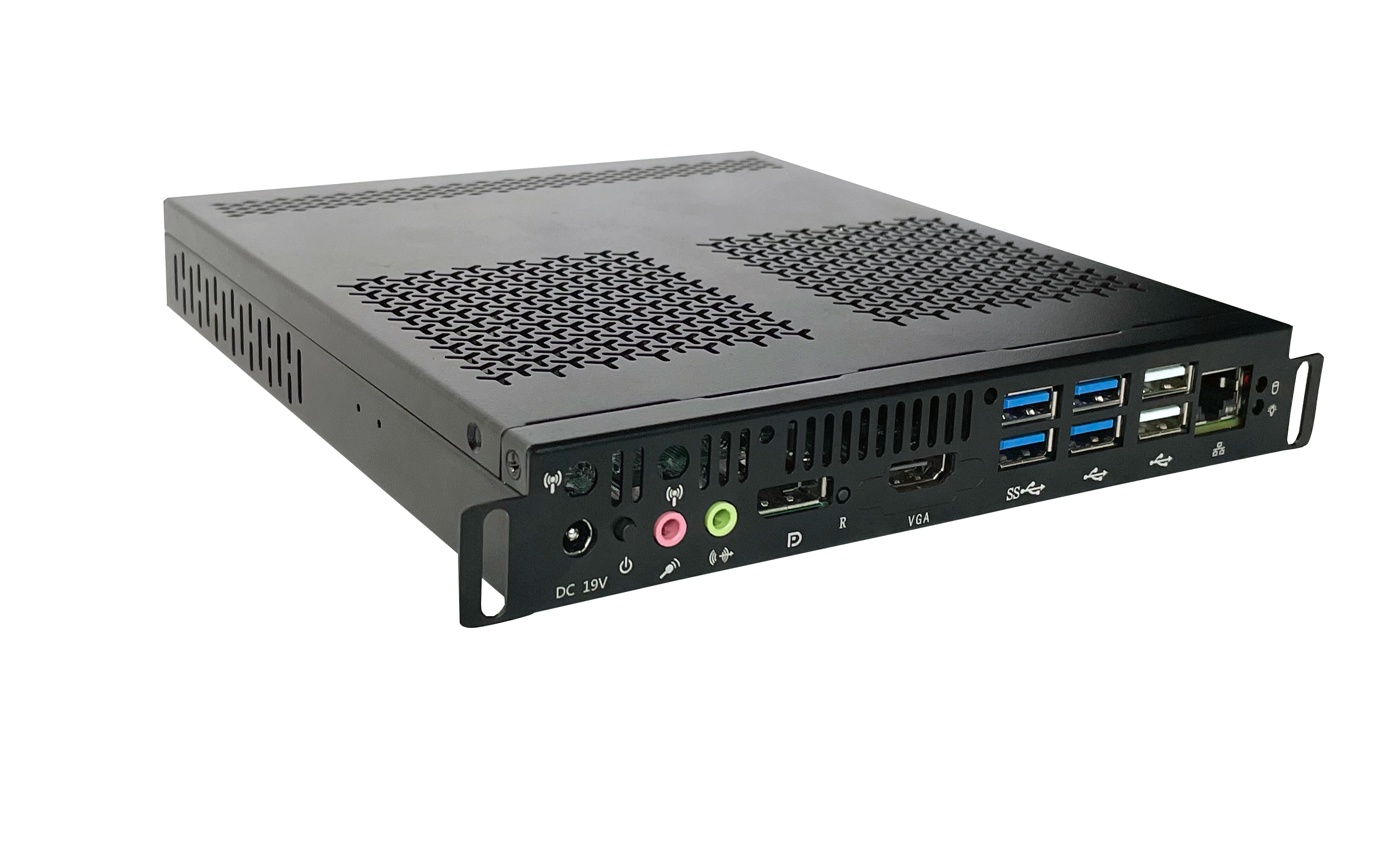
For these projects the correct sequence is to confirm the platform requirement first, then the mechanical and interface fit, and only then the remaining configuration. Because OPS-C dimensions differ from the original Intel OPS footprint, the module dimensions, connector type, pin definition, video interface, USB, power budget and display firmware all need to be verified against the specific display before production, and the module should be tested on the customer's target display before the final configuration is confirmed.
Step-by-Step: How to Match a Module to a Project
The sequence below applies whether the project is a single meeting room or a multi-site rollout. Steps 1 and 2 are the ones most often skipped, and they are the ones that cause the most expensive rework.
- Define the environment and operating schedule. Classroom with daily touch interaction, meeting room with conferencing and multi-user touch, unattended signage with remote updates, or a domestic-platform interactive deployment. The schedule determines the thermal and reliability demands; the environment determines the interaction profile.
- Confirm the slot and interface. Establish whether the display provides an Intel OPS slot or an OPS-C slot, then verify module dimensions, connector type, pin definition, video interface, USB and power budget against the display specification.
- Match the platform to the software. Confirm the required operating system version, BIOS functions, device drivers and application dependencies before imaging, and validate the approved system image on the final hardware configuration.
- Check the thermal and power budget. Select the cooling solution according to processor power, enclosure airflow and the display's internal temperature; verify heat sink, fan and thermal contact design.
- Validate with a pre-production sample. Use a pre-production sample and compatibility checklist, and test the module on the customer's target display before confirming the final configuration. This is the single most effective control against mechanical and interface surprises at volume.
- Lock the bill of materials and system image. Maintain a controlled BOM for the project, and define what happens if a component reaches end of life or changes.
- Plan service and supply continuity. Decide in advance how a failed or outdated module will be replaced, and confirm that form, fit and function alternatives will be validated and approved before any material change that affects the agreed specification.
Use Cases: Four Deployments, Four Matches
Indoor classroom with daily touch lessons
A school replaces interactive flat panels in general teaching rooms where teachers and students use touch throughout the day. The match is the AOS-SOHAUF41SC, installed in slot-in mode so the room has no external computer and no exposed wiring. Procurement should focus on the display's internal thermal environment and on a consistent OS image across classrooms, because repeated daily use makes consistency more valuable than peak performance.
Corporate meeting room running video conferencing
A meeting room display hosts video conferencing while several participants use multi-user touch for annotation and sharing. The match is the AOS-SOH61I41SXG. Before purchase, confirm that the conferencing application, drivers and required BIOS functions — including Wake-on-LAN, auto power-on and watchdog where relied upon — are validated on the final hardware configuration, so the display is ready at the start of the session rather than several minutes into it.
Retail or hospitality signage network
A multi-site signage deployment plays commercial media and updates content remotely. The match is the AOS-SOR358464H, in a configuration where the module can be removed from the OPS slot for replacement or software service without touching the display panel. For networks, the controlled-BOM discipline and end-of-life handling matter as much as the module itself, because configuration drift across sites multiplies support cost.
Domestic-platform interactive display project
A project specifies interactive displays built around a domestic platform ecosystem. The match is the AOS-SOZK6A341SXGE. Here the platform requirement is the primary constraint, and the mechanical and interface verification process — dimensions, connector, pin definition, video interface, USB, power budget and firmware — should be completed on the target display before the configuration is frozen.
Comparison Tables
The first table summarises the environment match described above. The second compares the integration approach itself, which is often the more consequential decision for a project.
Table 1 — Module-to-environment matching
| Module | Intended environment | Interaction profile | Operating pattern | Primary selection trigger |
|---|---|---|---|---|
| AOS-SOHAUF41SC | Indoor classrooms | Daily touch interaction | Repeated daily teaching sessions | Classroom touch use on a display with an OPS slot |
| AOS-SOH61I41SXG | Meeting rooms | Multi-user touch with video conferencing | Scheduled meetings, room ready on time | Conferencing workloads combined with multi-user touch |
| AOS-SOR358464H | Commercial signage | Unattended media playback | Continuous playback with remote updates | Remote content updates and unattended operation |
| AOS-SOZK6A341SXGE | Domestic-platform interactive displays | Interactive display use on a domestic platform | Project-dependent | Project requiring a domestic platform |
Table 2 — Integration approach comparison
| Comparison | What changes | Documented impact | Best suited to |
|---|---|---|---|
| Slot-in OPS PC vs. external desktop PC | Removes the standalone media-player enclosure and external video and power wiring | Reduces external cable quantity by over 70% and occupied installation space by more than 65% in a typical deployment | Classrooms, meeting rooms, digital signage and commercial displays that support an OPS slot |
| Android OPS module vs. external Android media player | Integrates the computing module into the display's OPS slot and reduces exposed external connections | Reduces peripheral hardware items by over 60% in a typical interactive-display installation | Retail signage, hospitality information displays, kiosks and networked media playback |
| Removable OPS module vs. compute board fixed inside the enclosure | Separates the computing platform from the display assembly for replacement and upgrades | Reduces complete-display replacement requirements by over 75% in typical compute-module failures | Displays requiring field replacement, platform upgrades or different operating systems |
Frequently Asked Questions
1. What must be verified before an OPS PC module is matched to a display?
Environment fit is only the starting point. Before production, the mechanical and interface fit must be confirmed: module dimensions, connector type, pin definition, video interface, USB, power budget and display firmware. AIOSTAR uses a pre-production sample and a compatibility checklist and tests the module on the customer's target display before confirming the final configuration. Standards define the boundary conditions — Intel's Open Pluggable Specification standardises a mechanical and electrical interface between displays and media players using a unified 80-pin JAE connector with a footprint of 180 mm × 119 mm × 30 mm, while the OPS-C variant widely adopted in the Chinese domestic market for educational interactive whiteboards uses slightly different dimensions, typically 180.8 mm × 195.2 mm × 42.5 mm.
2. Which AIOSTAR OPS PC module fits a classroom, a meeting room, and a signage project?
Three different environments point to three different modules. The AOS-SOHAUF41SC is positioned for indoor classrooms with daily touch interaction. The AOS-SOH61I41SXG is positioned for meeting room video conferencing with multi-user touch. The AOS-SOR358464H is positioned for commercial media playback with remote updates. A fourth module, the AOS-SOZK6A341SXGE, is positioned for domestic-platform interactive displays where the platform requirement, rather than raw performance, governs the choice. Selection should therefore follow the environment and operating schedule first, then the configuration detail.
3. What are the purchasing terms, MOQ and payment terms for OPS PC modules?
For evaluation, the MOQ is 1 unit, with volume MOQ depending on model and configuration; for a customized project, MOQ is to be confirmed by the customized project. Standard incoterms are EXW Shenzhen, FOB Shenzhen, CIF and DAP by agreement. Payment terms are 30% T/T deposit and 70% balance before shipment unless otherwise agreed in the proforma invoice. Acceptance criteria cover functional and interface testing before shipment, with sample approval and third-party inspection available by agreement for project orders, and burn-in testing where specified.
4. Can a buyer validate a sample on their own display before placing a volume order?
Yes, and for OPS and OPS-C projects this validation is the recommended route. Evaluation samples are available from 1 unit, and a pre-production sample can be run against a compatibility checklist covering module dimensions, connector type, pin definition, video interface, USB, power budget and display firmware. The module is tested on the customer's target display before the final configuration is confirmed, and the approved system image can be validated on that hardware, including functions such as Wake-on-LAN, auto power-on and watchdog where the project depends on them. Burn-in and thermal testing can also be conducted according to the project specification before mass production.
5. How is long-term supply continuity handled after a rollout is deployed?
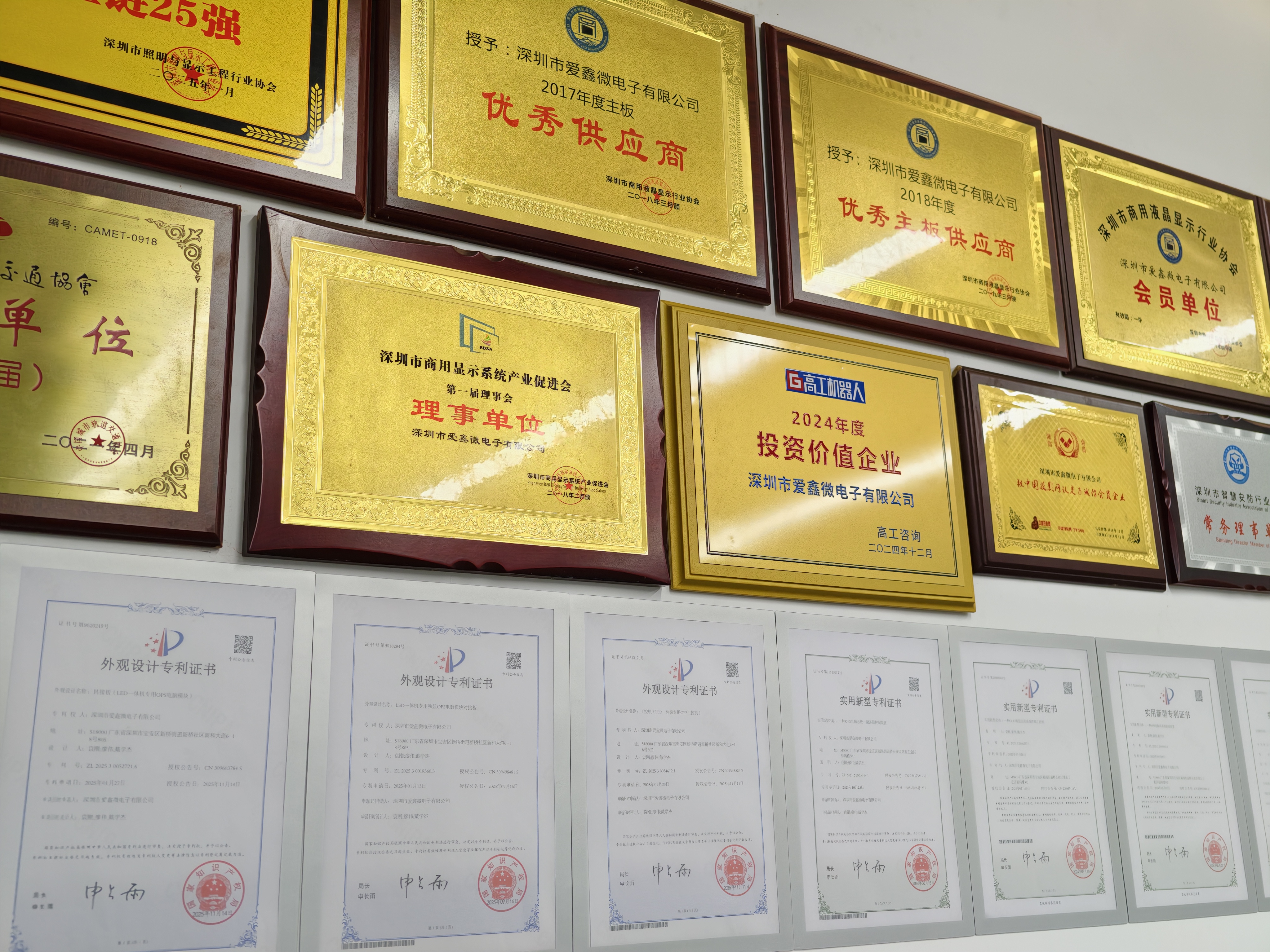
Supply continuity for OPS PC projects rests on a controlled bill of materials and on disciplined change handling. AIOSTAR maintains a controlled BOM and evaluates form, fit and function alternatives when a component changes; where a material change would affect the agreed specification, the customer is notified, alternatives are validated and approval is obtained when the project requires it. Because the module sits in a slot rather than on a fixed board, a failed or outdated compute unit can be replaced separately from the display. AIOSTAR is a Shenzhen-based supplier founded in 2015 with a 1,500 m² factory, 50 employees, a 170,000+ unit annual output, an 8-engineer R&D team and 60% of sales exported to global markets, and it offers OEM and ODM services covering hardware configuration, I/O, chassis, cooling, BIOS, operating system image, logo, packaging and accessories. To discuss a classroom, meeting room or signage configuration, contact salesos@aiostar.com or +86 153 3879 5007, or review the AIOSTAR company brochure.
Conclusion: Match the Environment First, Then the Specification
Four modules, four environments, one rule: the classroom, meeting room, signage and domestic-platform cases each impose a different interaction profile and operating schedule, and the module should be chosen to fit that profile before its specification depth is optimised. The AOS-SOHAUF41SC addresses daily classroom touch, the AOS-SOH61I41SXG addresses meeting room conferencing with multi-user touch, the AOS-SOR358464H addresses unattended commercial playback with remote updates, and the AOS-SOZK6A341SXGE addresses domestic-platform interactive displays.
Whichever module a project points to, the same four verification steps protect the investment: confirm the slot and interface, match the platform to the software, validate on the target display with a pre-production sample, and agree how service and supply continuity will work over the life of the deployment. That sequence is what turns a slot-in compute module into a maintainable part of a display fleet rather than a single point of failure.
Next Step: Match a Module to Your Project
Send the display model, the intended environment and your operating schedule, and AIOSTAR will confirm the OPS or OPS-C fit, propose a configuration and arrange an evaluation sample for validation on your own display.
Email: salesos@aiostar.com | Tel / WhatsApp: +86 153 3879 5007 | Website: www.aiostar.com
Download the AIOSTAR Introduction 2026 brochure (EN, PDF).
Have Questions or Need More Details?
Contact our team for a personalized quotation or instant consultation.
Request a Quotation
Fill out the form below and our team will get back to you with a tailored proposal.
WhatsApp Direct Chat
Prefer to chat in real-time? Message us on WhatsApp for instant assistance & quick answers.
- Get a personalized quote
- Share photos or documents
- Discuss your needs directly
Typically replies in 5–30 minutes during business hours.