
Best OPS PC Modules for Interactive Flat Panels in 2026: 5 Picks Ranked by Use Case
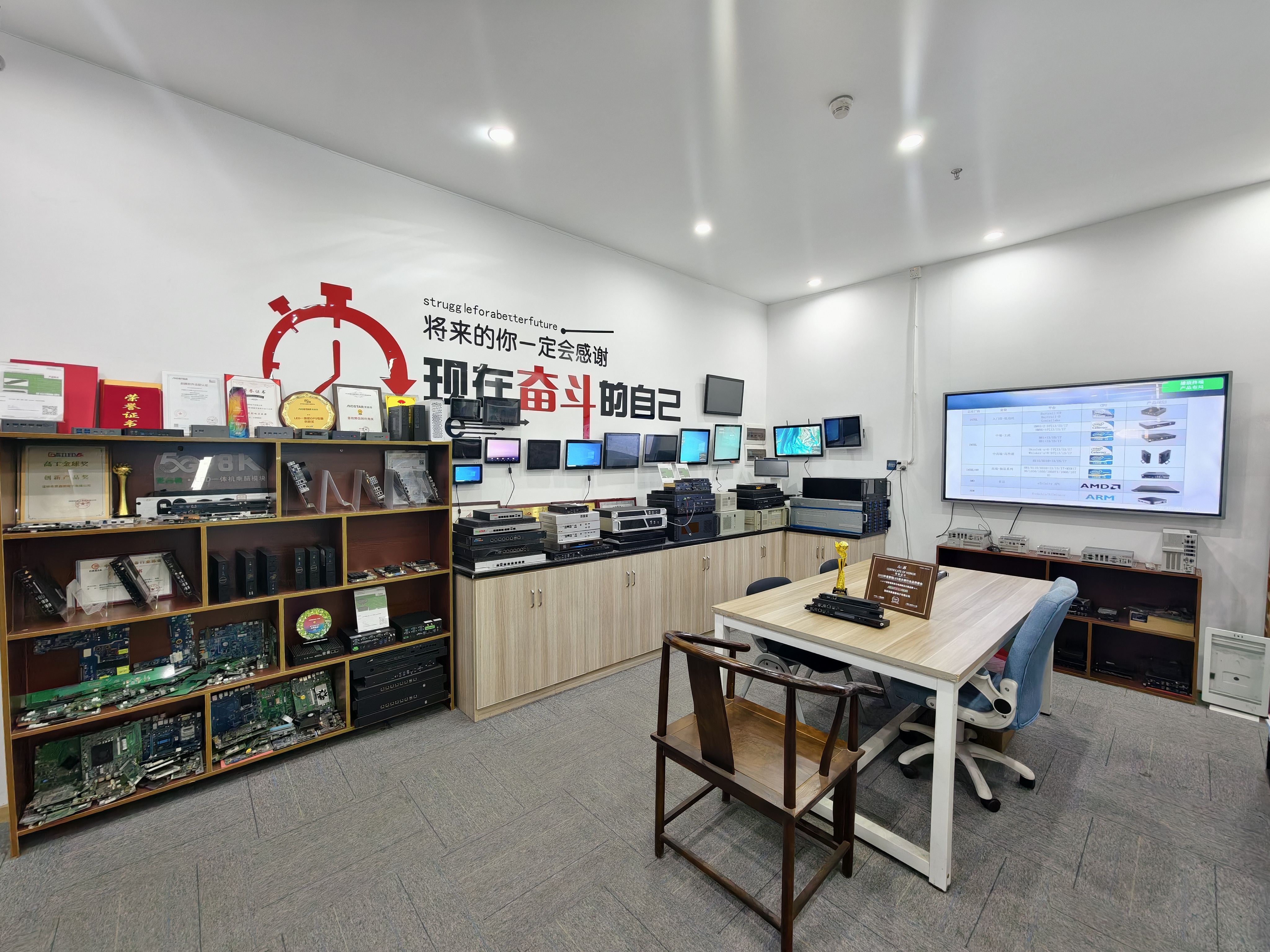
AIOSTAR OPS, OPS-C and Android OPS PC modules displayed in the Shenzhen showroom, covering interactive flat panel, signage and video wall use cases.
The short answer: in 2026 there is no single best OPS PC for interactive flat panels — there are five, and each one wins in a different room. For Intel-based classrooms and conference displays, the AOS-SOHAUF41SC OPS-C pluggable module is the most balanced pick. For digital signage, kiosks and edge AI, the AOS-SOR358464H Android OPS computer with its 6 TOPS NPU is the strongest fit. For 4K and 8K video walls, the discrete-GPU AOS-SOH61I41SXG carries the graphics load. For domestic-platform and government-facing interactive displays, the Zhaoxin KX-6780 series AOS-SOZK6A341SXGE is the compliant choice. And for standard slot-in commercial display refreshes, the general OPS-C pluggable computer module category is the pragmatic baseline.
All five picks are supplied by Shenzhen Aiostar Electronics Co., Ltd., which trades under the brand AIOSTAR. AIOSTAR is a computer hardware supplier established in 2015 in Shenzhen, China, and it develops, produces and supplies OPS PCs, OPS-C pluggable computer modules, Android OPS PCs, industrial motherboards, mini PCs, BOX PCs, industrial panel PCs, servers and customized embedded computing systems. Its products are used in interactive displays, digital signage, education, corporate meetings, industrial automation, smart transportation, retail and security projects, and OEM and ODM services are available across the module range.
This ranking is deliberately organised by scenario rather than by raw specification order, because the same module that is ideal for a 65-inch classroom panel can be the wrong choice for a video wall controller or a government tender. Each pick below explains what the module is, which display project it fits, why the configuration facts support that fit, and where the module's limits begin.
Why the Module, Not the Panel, Decides the Project Outcome
Most interactive flat panel procurement starts with the panel — size, brightness, touch technology and mounting — and the compute module that slots into the back of that panel is decided last. That order is backwards, because the module determines which software runs, how fast it runs, how the display is managed remotely, and how quickly a failed unit can be replaced once the warranty period ends.
Three failure patterns repeat across education, corporate and signage deployments:
- Soldered Android boards. When the compute board is fixed to the display mainboard, the usable life of the display is tied to that board. There is no upgrade path for memory, storage or operating system.
- External PCs and media sticks. A desktop PC or an HDMI stick attached behind the panel introduces extra HDMI, USB and power cabling to route, hide and maintain, plus a second power supply and a second point of failure.
- Specification-only selection. Choosing a module by CPU model alone, without checking memory and storage configurability, operating system image options, management features or certification scope, tends to surface problems only after installation.
An OPS or OPS-C module solves this by keeping compute inside the display enclosure in a standardised slot. Servicing becomes a module swap rather than a panel replacement, and the module can be specified independently for each project. That is why the picks below are ranked by the display scenario they serve best, not by a single headline number.
Ranking Criteria: Five Questions That Separate a Strong Pick From a Poor One
The ranking in this article uses five questions that any buyer, integrator or distributor can apply to a shortlist:
- Slot and mechanical fit. Intel's Open Pluggable Specification standardises a mechanical and electrical interface between displays and media players using a unified 80-pin JAE connector with a footprint of 180 mm × 119 mm × 30 mm. The OPS-C (China) variant widely adopted in the Chinese domestic market uses slightly different dimensions, typically 180.8 mm × 195.2 mm × 42.5 mm. The panel decides which standard applies.
- Workload and output. Single-display annotation, multi-window collaboration, video wall rendering and AI inference place very different demands on the platform and the graphics path.
- Memory and storage headroom. Configurable SO-DIMM memory and M.2 SSD storage are available on the Intel OPS-C module, while the Android AI module ships with 4 GB LPDDR4 as standard and up to 16 GB as an option, with eMMC storage.
- Operating system and remote management. Windows and Linux options depend on configuration, while the Android module supports Android 13, Ubuntu or Debian. Wake-on-LAN, auto power-on and watchdog functions are available by BIOS configuration.
- Serviceability and compliance. Slot-in removal, CE-RED and RoHS coverage, warranty and technical support terms decide the total cost of ownership over the display's service life.
Applied together, these five questions explain why a module that scores well in a classroom can score poorly in a control room, and vice versa.
Industry Background: Why the Compute Slot Keeps Growing
The compute slot is not a niche accessory. The global Interactive Flat Panel market, the primary application for OPS PC modules, was valued at approximately USD 12.6 billion in 2024 according to Grand View Research. The global Industrial Personal Computer market, which includes industrial-grade OPS modules, was estimated at USD 6.48 billion in 2024 and is projected to grow at a CAGR of 6.30% through 2032, also according to Grand View Research. Different research houses publish slightly different figures for this second market depending on whether embedded and standalone systems are counted together, so buyers should treat any single number as a directional indicator rather than a precise total.
Adoption is already mainstream inside the display itself. Integrated OPS-slot compute modules and Android-based SoC modules are estimated to ship in 15–25% of new Interactive Flat Panel Display units, which means a large share of new panels are bought with a compute decision attached. Two mechanical standards coexist in that market: the Intel OPS footprint and the OPS-C variant used widely in Chinese domestic interactive displays.
The practical consequence for buyers is that module selection has become a lifecycle decision. Panels are typically replaced on a facilities cycle, while the compute module is the part most likely to be refreshed, upgraded or swapped during the display's service life. Choosing a module with a standard slot, configurable memory and storage, and a serviceable design directly affects how long the whole installation stays useful.
The 5 Best OPS PC Module Picks of 2026, Ranked by Use Case
1. AOS-SOHAUF41SC — Best Intel OPS PC Module for Classrooms and Meeting Rooms
The AIOSTAR AOS-SOHAUF41SC is an Intel Alder Lake-U OPS-C pluggable computer module built for interactive whiteboards, education technology, corporate meeting displays and commercial display systems. CPU options include Intel Core i5-1235U and i5-1240P, memory is configurable as SO-DIMM, and storage is configurable as M.2 SSD. Windows or Linux options depend on configuration, and Wake-on-LAN, auto power-on and watchdog functions are available by BIOS configuration. The mechanical build uses a sheet-metal enclosure, PCB assembly and an aluminium heat sink.
This module takes the top position for general-purpose interactive flat panels because it covers the widest range of daily teaching and meeting workloads without external equipment. A classroom panel running annotation software, browser-based content and video playback is served by the Alder Lake-U platform, while the configurable SO-DIMM memory and M.2 SSD allow a school to standardise on one module family across many rooms with different software loads.
Two configuration details matter most for education and corporate deployments. First, Wake-on-LAN and auto power-on by BIOS configuration let IT teams bring panels up on a schedule or after a power interruption without walking the building. Second, the watchdog function supports unattended operation, which is relevant for panels used as information boards outside teaching hours. Both features are BIOS-level settings, so they should be specified in the order rather than assumed.
Where its limits begin: no discrete graphics option is listed for this module. Projects that require heavy 3D rendering, multi-display wall driving or intensive GPU-accelerated video processing should use the discrete-GPU pick below. The AOS-SOHAUF41SC is an OPS-C module, so the host panel must accept the OPS-C slot geometry.
2. AOS-SOR358464H — Best Android OPS PC Module for Digital Signage and Edge AI
The AIOSTAR AOS-SOR358464H is a Rockchip RK3588 Android and Linux OPS module aimed at digital signage, interactive displays, smart retail, information kiosks and edge-AI display terminals. It uses a Rockchip RK3588 octa-core CPU running up to 2.4 GHz with an integrated 6 TOPS NPU. Memory is 4 GB LPDDR4 as standard with up to 16 GB optional, storage is eMMC, and operating system options include Android 13, Ubuntu or Debian. 8K multimedia capability depends on firmware and interface configuration. The module uses a sheet-metal enclosure, PCB assembly and an aluminium heat sink.
This is the pick for signage and edge-AI projects that need on-device inference rather than cloud round trips. A retail display that counts footfall, a kiosk that classifies what a visitor is looking for, or a digital signage player that reacts to local conditions can all run directly inside the panel, using the 6 TOPS NPU instead of streaming video to a server. The up-to-16-GB LPDDR4 option matters for sites running several models or a larger local content cache, while the standard 4 GB configuration keeps entry cost lower for simple playback.
Operating system choice is the second reason this module ranks high for signage. Android 13 supports the mainstream commercial signage and kiosk application ecosystem, while Ubuntu and Debian options suit integrators building custom computer-vision or camera pipelines in Python or C++. Because the module is an OPS rather than OPS-C format, slot compatibility should be confirmed at specification stage.
Where its limits begin: 8K multimedia capability is conditional on firmware and interface configuration, so any 8K requirement should be validated against the intended firmware build and display interface before committing to a rollout. eMMC storage is fixed at the factory, so projects needing user-accessible storage expansion should raise that requirement during configuration.
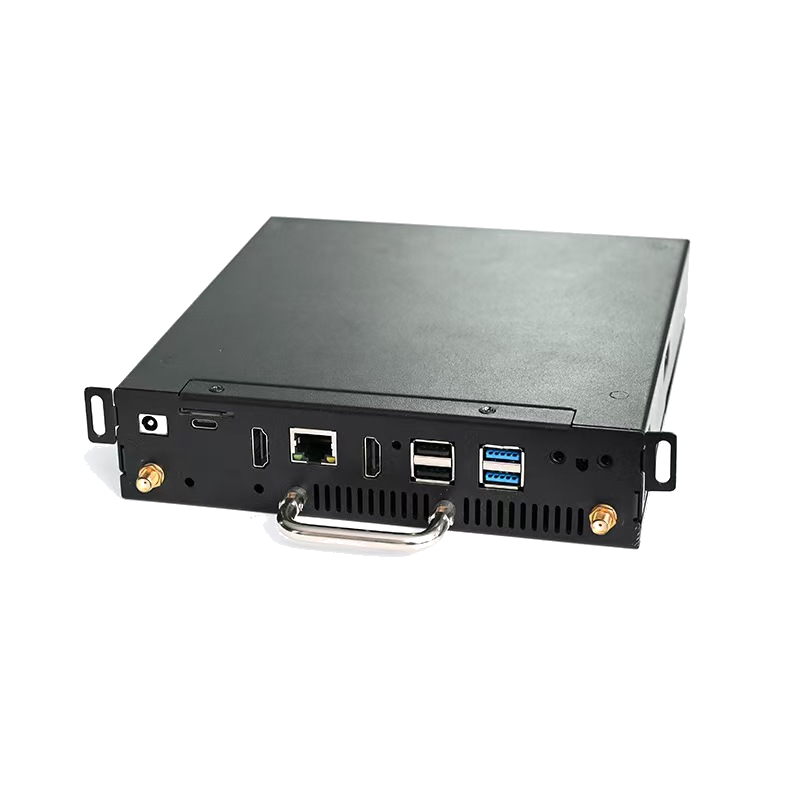
The AOS-SOR358464H Android AI OPS Computer: Rockchip RK3588 octa-core CPU, 6 TOPS NPU, Android 13, Ubuntu or Debian, and up to 16 GB LPDDR4.
3. AOS-SOH61I41SXG — Best Discrete-GPU OPS Computer for Video Walls and Multi-Display Projects
The AIOSTAR AOS-SOH61I41SXG is an Intel H610 LGA1700 OPS computer with optional discrete graphics, intended for large-format commercial displays, LED meeting displays, video walls, visualisation systems and multi-display projects. The platform supports selected 12th and 13th Gen Intel Core i3, i5 and i7 processors and provides HDMI, HDMI and DisplayPort video outputs, with up to 8K 60 Hz output subject to the selected CPU, GPU and display configuration. Optional discrete graphics are available by project. Cooling uses a sheet-metal enclosure, PCB assembly, aluminium heat sink and cooling fan.
This pick exists because a single-slot OPS module is often asked to do graphics work that integrated graphics cannot carry. Video walls, LED meeting displays and visualisation systems need multiple video outputs, high-resolution rendering across several displays, and consistent frame delivery under load. The H610-based design addresses this in two ways: it accepts a wider spread of 12th and 13th Gen Core processors so integrators can balance CPU cost against requirement, and it supports optional discrete graphics per project, which is the practical lever for GPU-heavy rendering.
For integrators, the multi-output layout is the deciding feature. HDMI, HDMI and DisplayPort outputs on one module mean a video wall controller or a meeting-room display with extended desktop requirements can be served from inside the panel rather than from a separate rack PC, which is consistent with the cabling reduction that slot-in designs are chosen for.
Where its limits begin: the module's 8K 60 Hz figure is explicitly subject to the selected CPU, GPU and display configuration, so a realistic output check should be run on the exact configuration before a tender is priced. The cooling fan also makes this the least silent option in the range, which is worth noting for quiet meeting rooms.
4. AOS-SOZK6A341SXGE — Best Domestic-Platform OPS-C Computer for Government and Regulated Displays
The AIOSTAR AOS-SOZK6A341SXGE is a Zhaoxin KX-6780 series OPS-C PC for domestic-platform interactive displays, education, government information systems and project-specific commercial displays. It supports Zhaoxin KX-U6780A, KX-U6740A, KX-U6640A and KX-U6640MA processors, provides six USB ports including two USB 3.0 ports, offers optional GT730, GT1030, GTX 1050 or GTX 1050 Ti graphics depending on configuration, and uses OPS-C slot-in installation with a sheet-metal enclosure, PCB assembly, aluminium heat sink and cooling fan.
This module ranks fourth overall but first for projects where a non-Intel platform is a requirement rather than a preference. Domestic-platform procurement in government, public education and state-linked information systems often specifies a local processor family, and the KX-6780 series module meets that requirement while keeping the OPS-C slot-in format that makes servicing straightforward.
The six-USB-port layout, with two USB 3.0 ports, is a practical advantage in these environments, where interactive displays are frequently paired with document cameras, card readers, barcode scanners or instrument interfaces at the panel. Graphics selection is configurable across GT730, GT1030, GTX 1050 and GTX 1050 Ti options depending on the configuration ordered, which lets a project right-size the GPU rather than over-specify every unit.
Field evidence supports the slot-in maintenance argument. AIOSTAR reports a Japan-based industrial and transportation solution project covering 1,000 OPS adapter board units with stable operation across a 3–7 year service window. The removable slot-in design simplified installation and maintenance, and configurable memory, storage, BIOS and operating system images supported different interactive-display projects within the same programme.
Where its limits begin: operating system and software compatibility must be validated for the chosen domestic platform, and graphics capability depends on which optional card is configured, so the exact configuration should be fixed before certification or acceptance testing begins.
5. OPS-C Pluggable Computer Module Category — Best Standard Slot for Commercial Display Refreshes
The fifth pick is less a single SKU than a format decision: the OPS-C pluggable computer module category itself, used for slot-in commercial display systems. Across the AIOSTAR range this category is compatible with mainstream OPS-C specifications, and the removable slot-in design simplifies installation and maintenance by removing the need for external cabling between the computer and the display.
For distributors, importers and multi-site operators, the value is standardisation. A fleet of interactive flat panels or commercial displays can share one module format, one servicing procedure and one spare-part pool, with differing memory, storage, BIOS function and operating system image configurations applied per project rather than per site. That converts a hardware decision into a manageable configuration table.
This category pick is the right answer when the goal is refresh and lifecycle management rather than peak performance: replacing modules in existing OPS-C panels, extending the working life of installed displays, or standardising spare stock across a region. When a specific room needs Intel vPro-class productivity software, Android 13 signage or discrete-GPU rendering, buyers should step up to picks one, two or three instead.
Step-by-Step: How to Match a Module to a Specific Display Project
The sequence below reflects the order in which specification errors usually occur — slot and OS first, performance last.
- Confirm the slot standard in the host panel. Verify whether the display expects the Intel OPS footprint (80-pin JAE connector, 180 mm × 119 mm × 30 mm) or the OPS-C variant (typically 180.8 mm × 195.2 mm × 42.5 mm) and whether the available depth accepts the module plus cooling.
- Define the workload in plain operational terms. Write down how many applications run simultaneously, whether 4K or higher video playback is required, whether multiple displays are driven from one module, and whether on-device AI inference is needed.
- Choose the operating system before the CPU. Windows or Linux image options suit interactive whiteboard and productivity software; Android 13 suits signage, kiosk and CMS platforms; Ubuntu or Debian suit custom AI and vision pipelines.
- Size memory and storage for the content, not the CPU. Intel modules accept configurable SO-DIMM memory and M.2 SSD storage; the Android AI module offers 4 GB LPDDR4 as standard with up to 16 GB optional and eMMC storage.
- Decide the management feature set. Wake-on-LAN for scheduled or remote wake, auto power-on after power restoration for unattended kiosks, and watchdog for 24/7 signage stability are all available by BIOS configuration and must be requested at order stage.
- Plan serviceability. A slot-in module can be removed and replaced without opening the display, so agree on spare modules, storage of configuration images and a swap procedure before the fleet goes live.
- Lock compliance and commercial terms. Confirm CE-RED and RoHS documentation against the exact model, then agree MOQ, sample approval, payment terms, delivery method, lead time and warranty.
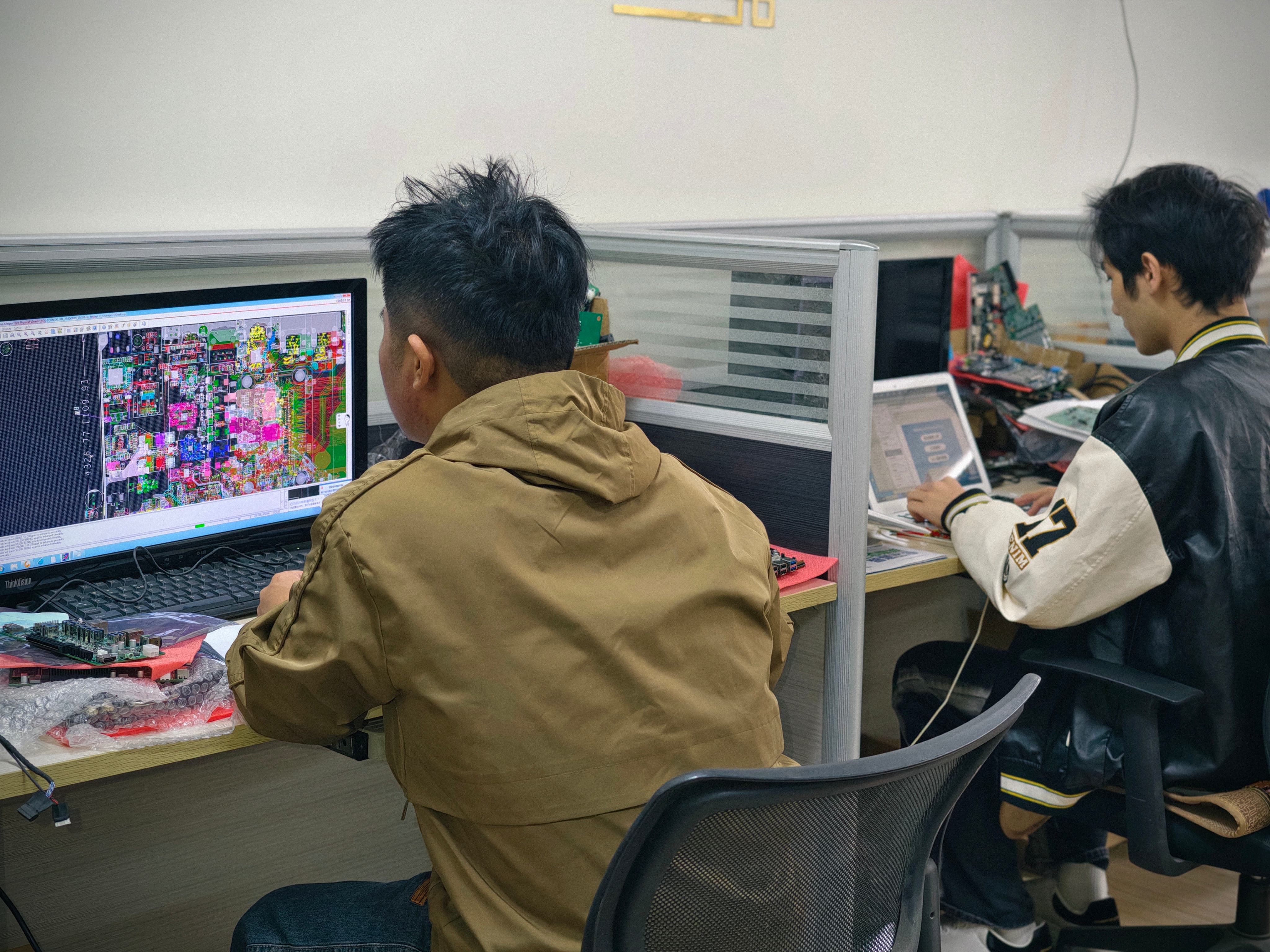
AIOSTAR's in-house engineering team develops BIOS functions, operating system images and I/O configurations for custom OPS PC module projects.
Use-Case Map: Which Pick Belongs in Which Room
| Display scenario | Recommended pick | Reason |
|---|---|---|
| K-12 classroom interactive whiteboard | AOS-SOHAUF41SC | Intel Core i5-1235U / i5-1240P options, configurable SO-DIMM memory and M.2 SSD, Windows or Linux depending on configuration. |
| University lecture hall and corporate meeting room | AOS-SOHAUF41SC | Wake-on-LAN, auto power-on and watchdog by BIOS configuration support scheduled and unattended use. |
| Retail digital signage and kiosk | AOS-SOR358464H | Rockchip RK3588 with 6 TOPS NPU, Android 13, eMMC storage, edge-AI capable. |
| Video wall and multi-display visualisation | AOS-SOH61I41SXG | Intel H610 with selected 12th/13th Gen Core i3/i5/i7, HDMI, HDMI and DisplayPort outputs, optional discrete graphics. |
| Government or domestic-platform information display | AOS-SOZK6A341SXGE | Zhaoxin KX-6780 series processors, six USB ports including two USB 3.0, optional GT730 to GTX 1050 Ti graphics. |
| Fleet refresh and spare-pool standardisation | OPS-C pluggable computer module category | Compatible with mainstream OPS-C specifications and slot-in design that simplifies installation and maintenance. |
Comparison Table: The Five Picks Side by Side
| Rank & pick | Platform and CPU options | Memory and storage | Operating system options | Management and serviceability | Best-fit use case |
|---|---|---|---|---|---|
| 1. AOS-SOHAUF41SC Intel OPS-C pluggable computer module | Intel Alder Lake-U; Intel Core i5-1235U and i5-1240P options | Configurable SO-DIMM memory; configurable M.2 SSD | Windows or Linux options depend on configuration | OPS-C slot-in; Wake-on-LAN, auto power-on and watchdog available by BIOS configuration | Classroom and meeting-room interactive flat panels |
| 2. AOS-SOR358464H Android AI OPS computer | Rockchip RK3588 octa-core up to 2.4 GHz; integrated 6 TOPS NPU | 4 GB LPDDR4 standard, up to 16 GB optional; eMMC storage | Android 13, Ubuntu or Debian | Slot-in OPS module; Android or Linux management stack; 8K multimedia depends on firmware and interface configuration | Digital signage, kiosks, smart retail and edge-AI displays |
| 3. AOS-SOH61I41SXG Discrete-GPU OPS computer | Intel H610 LGA1700; selected 12th and 13th Gen Intel Core i3, i5 and i7 | Configurable through OEM/ODM scope covering memory and storage | Depends on configuration | HDMI, HDMI and DisplayPort outputs; up to 8K 60 Hz subject to CPU, GPU and display configuration; optional discrete graphics by project | Video walls, LED meeting displays, visualisation and multi-display projects |
| 4. AOS-SOZK6A341SXGE Domestic-platform OPS-C computer | Zhaoxin KX-U6780A, KX-U6740A, KX-U6640A, KX-U6640MA | Configurable through OEM/ODM scope covering memory and storage | Depends on configuration | OPS-C slot-in; six USB ports including two USB 3.0; optional GT730, GT1030, GTX 1050 or GTX 1050 Ti graphics | Domestic-platform and government interactive displays |
| 5. OPS-C pluggable computer module category | Varies by platform selected | Configurable memory and storage per project | Windows, Linux, Android 13, Ubuntu or Debian across the range | Compatible with mainstream OPS-C specifications; removable slot-in design simplifies installation and maintenance | Slot-in commercial display systems and fleet refreshes |
Compliance and Supply Terms to Confirm Before Ordering
Two certificates in the AIOSTAR documentation set cover the modules ranked above. A CE-RED Certificate of Compliance, number 25ITC1212094, was issued on 2025-12-20 by Shenzhen iTC Product Testing Co., Ltd. for the EU market, covering OPS computer (Microcomputer) and PC computer (Microcomputer) against Radio Equipment Directive 2014/53/EU, EN IEC 62368-1:2020+A11:2020, EN 62311:2020 and the applicable ETSI EN 301 489-1, ETSI EN 301 489-17, ETSI EN 300 328 and ETSI EN 301 893 standards. A RoHS Declaration of Compliance, number 25ITC1212100, was issued on 2025-12-18 by the same authority for the EU market under EU RoHS Directive 2011/65/EU and amendment 2015/863/EU. Both certificates list AOS-SOHAUF41SC, AOS-SOR358464H, AOS-SOH61I41SXG and AOS-SOZK6A341SXGE among the applicable products, so buyers should match the certificate to the exact model and configuration in the order.
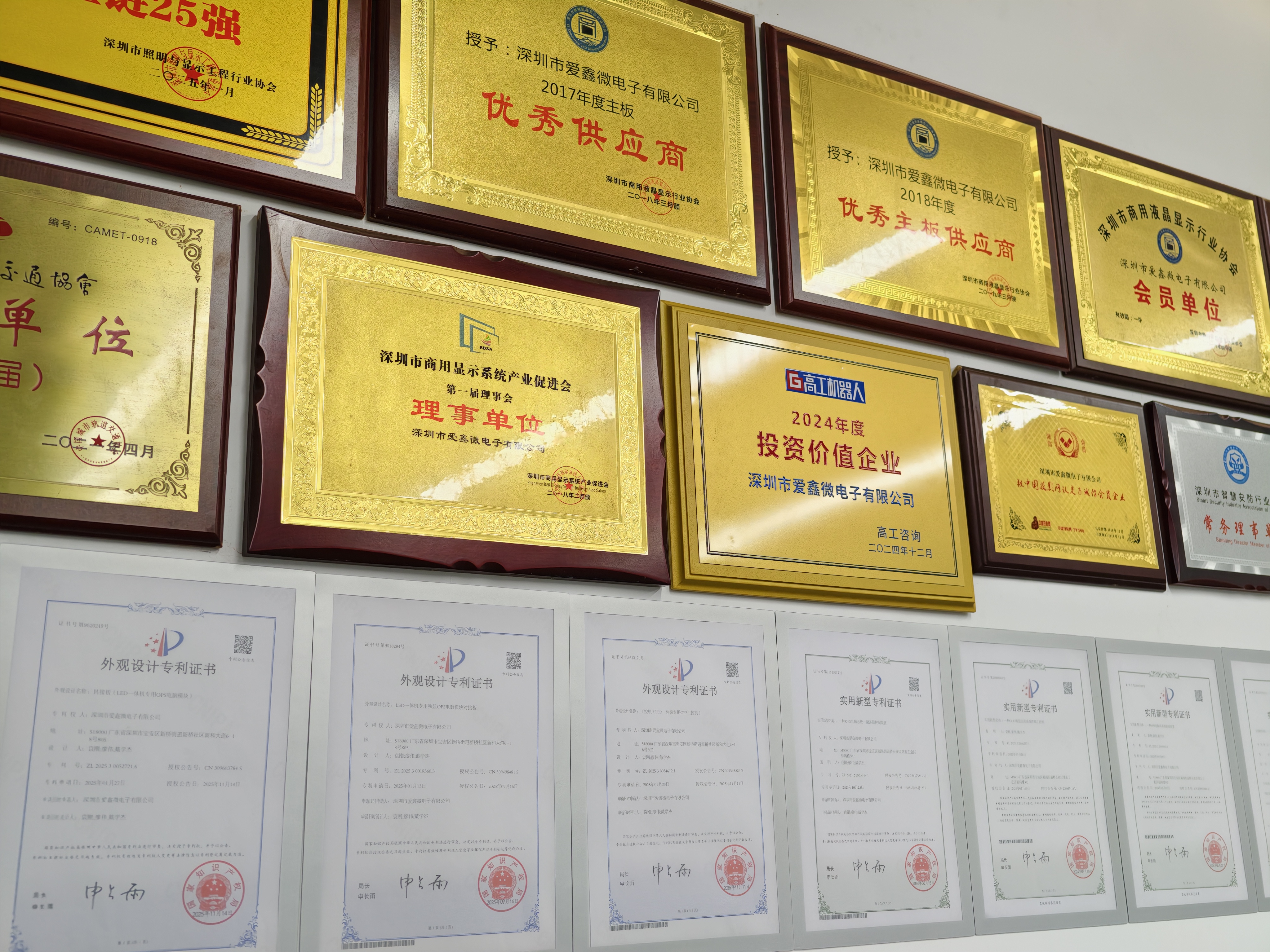
CE-RED and RoHS documentation for AIOSTAR OPS and OPS-C modules is available for project due diligence.
On the manufacturing side, AIOSTAR operates OEM, ODM and project customization services covering CPU platform, memory, storage, I/O, chassis size, cooling solution, BIOS functions, operating system image, logo, packaging, power adapter and cables. Quality control includes incoming material inspection, functional and interface testing on finished units, burn-in testing when specified, and temperature, humidity, vibration and drop testing that can be arranged according to project requirements. Monthly production capacity exceeds 5,000 units, annual output is 170,000+ units, and the company employs 50 people in a 1,500 m² facility with an 8-engineer R&D team and a 60% export ratio.
Commercial terms follow a predictable structure. The minimum order quantity is 1 unit for evaluation samples, while customized project MOQ depends on configuration and is confirmed per project. Payment is 30% T/T deposit and 70% balance before shipment unless otherwise agreed in the proforma invoice. Delivery can be arranged as EXW Shenzhen, FOB Shenzhen, CIF or DAP by agreement, and acceptance can be based on an approved sample or specification, functional testing, burn-in testing when specified, and customer or third-party inspection by agreement. Lead time is 60 days, and the standard warranty is one year unless otherwise agreed in the quotation or proforma invoice, supported by remote technical support and BIOS, operating system and driver assistance.
Frequently Asked Questions
Are AIOSTAR OPS PC modules CE and RoHS compliant?
Yes, for the models covered by the certificates held in AIOSTAR's documentation. CE-RED Certificate of Compliance 25ITC1212094 was issued on 2025-12-20 by Shenzhen iTC Product Testing Co., Ltd. for the EU market, covering OPS computer (Microcomputer) and PC computer (Microcomputer) under Radio Equipment Directive 2014/53/EU together with EN IEC 62368-1:2020+A11:2020, EN 62311:2020 and the applicable ETSI EN 301 489-1, ETSI EN 301 489-17, ETSI EN 300 328 and ETSI EN 301 893 standards. RoHS Declaration of Compliance 25ITC1212100 was issued on 2025-12-18 under EU RoHS Directive 2011/65/EU and amendment 2015/863/EU. The applicable product list includes AOS-SOHAUF41SC, AOS-SOR358464H, AOS-SOH61I41SXG and AOS-SOZK6A341SXGE, and buyers should confirm that the certificate matches the exact model and configuration ordered.
Can AIOSTAR customize an OPS PC module for OEM or ODM projects?
Yes. AIOSTAR provides OEM, ODM and project customization services that cover CPU platform, memory, storage, I/O, chassis size, cooling solution, BIOS functions, operating system image, logo, packaging, power adapter and cables. Quality control includes incoming material inspection, functional and interface testing for finished units, burn-in testing when specified, and temperature, humidity, vibration and drop testing that can be arranged according to project requirements. Monthly production capacity exceeds 5,000 units, which supports both pilot batches and volume programmes.
What is the minimum order quantity and how are payments handled?
The MOQ is 1 unit for evaluation samples, while volume MOQ depends on the model and configuration, and a customized project MOQ is confirmed per project. Payment terms are 30% T/T deposit and 70% balance before shipment unless otherwise agreed in the proforma invoice. Delivery can be arranged as EXW Shenzhen, FOB Shenzhen, CIF or DAP by agreement, so buyers can match the terms to their existing logistics arrangements.
Can I validate a sample before committing to a volume order?
Yes. Evaluation samples start from 1 unit, and acceptance can be based on an approved sample or specification, functional and interface testing before shipment, burn-in testing when specified, and customer or third-party inspection by agreement. Sample approval and third-party inspection can be arranged for project orders, which is the usual path for integrators who need to validate BIOS settings, operating system images and interface behaviour inside the actual display before a rollout.
What is the lead time and production capacity?
Standard lead time is 60 days, with monthly production capacity exceeding 5,000 units and annual output of 170,000+ units across the product range. The standard warranty is one year unless otherwise agreed in the quotation or proforma invoice, and it is supported by remote technical support plus BIOS, operating system and driver assistance. Buyers planning a multi-site rollout can request an evaluation sample first, agree the configuration and acceptance criteria, and then confirm the delivery schedule against the 60-day lead time.
Conclusion: Choose by Room, Then Verify by Evidence
Ranking OPS PC modules by use case produces a clearer decision than ranking them by specification alone. The AOS-SOHAUF41SC is the default for Intel-based classrooms and meeting rooms because of its Alder Lake-U processor options, configurable SO-DIMM memory and M.2 SSD storage, and BIOS-level Wake-on-LAN, auto power-on and watchdog functions. The AOS-SOR358464H is the signage and edge-AI answer, built on a Rockchip RK3588 with a 6 TOPS NPU and Android 13, Ubuntu or Debian options. The AOS-SOH61I41SXG covers video walls and multi-display projects through the Intel H610 platform, HDMI, HDMI and DisplayPort outputs and optional discrete graphics. The AOS-SOZK6A341SXGE serves domestic-platform and government displays with Zhaoxin KX-6780 series processors and a six-port USB layout. And the OPS-C pluggable computer module category remains the most efficient standard for slot-in commercial display fleets.
Whichever pick fits the project, the verification steps are the same: confirm the slot standard, fix the operating system image, size memory and storage against real content, specify the BIOS management functions you need, and match CE-RED and RoHS documentation to the exact model before the order is placed.
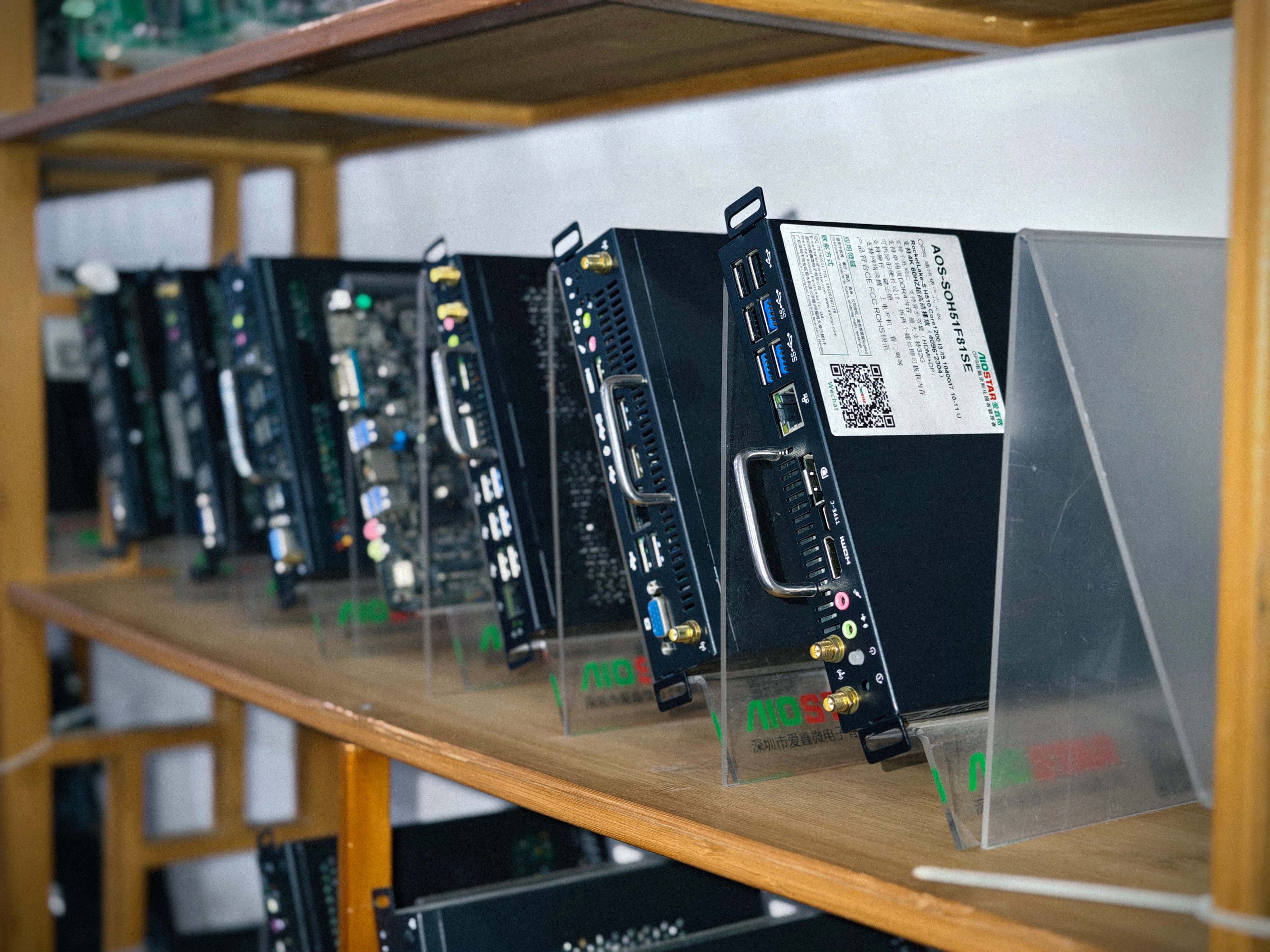
Evaluation samples of AIOSTAR OPS, OPS-C and Android OPS modules are available from 1 unit for project validation.
Next Step: Validate the Module in Your Own Display
Request an evaluation sample of the OPS PC module that matches your scenario, or send your display specification and we will confirm slot compatibility, operating system image, memory and storage configuration, and BIOS management functions before you commit to a volume order.
Contact: salesos@aiostar.com | WhatsApp: +86 153 3879 5007 | Website: www.aiostar.com
Download the full product and capability overview: Aiostar Introduction 2026 (EN) PDF
Have Questions or Need More Details?
Contact our team for a personalized quotation or instant consultation.
Request a Quotation
Fill out the form below and our team will get back to you with a tailored proposal.
WhatsApp Direct Chat
Prefer to chat in real-time? Message us on WhatsApp for instant assistance & quick answers.
- Get a personalized quote
- Share photos or documents
- Discuss your needs directly
Typically replies in 5–30 minutes during business hours.