
OPS-C Pluggable Module Configuration Guide: CPU, Memory, I/O
The AOS-SOHAUF41SC is an OPS-C pluggable computer module from Shenzhen Aiostar Electronics Co., Ltd. (AIOSTAR), built on an Intel Alder Lake-U platform. Its documented CPU options are Intel Core i5-1235U and Intel Core i5-1240P; it uses configurable SO-DIMM memory and configurable M.2 SSD storage; it installs by OPS-C slot-in; and Wake-on-LAN, auto power-on and watchdog functions are available by BIOS configuration. For a display project, choosing among those options is what decides whether an interactive flat panel, a conference display or a signage screen behaves the way the deployment actually needs.
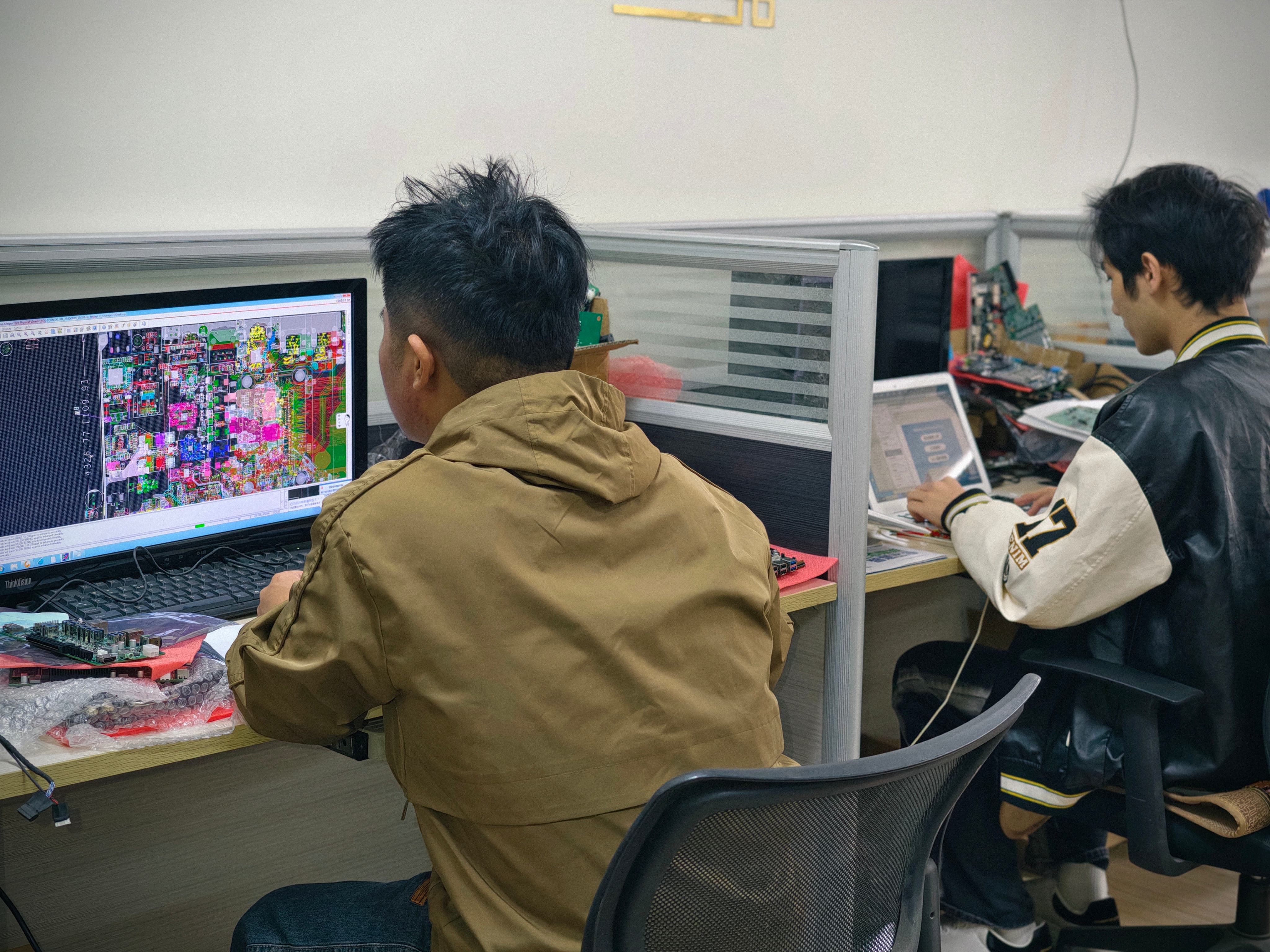
This guide is written for the people who have to sign off a module specification: procurement managers, AV integrators, OEM buyers and in-house engineers. It walks through the architecture of an OPS-C module layer by layer, explains what the two documented CPU options change inside a display chassis, and gives a practical method for turning a display requirement into a locked configuration that can be quoted, sampled and produced.
Problem Definition: Why OPS-C Configuration Errors Surface Late
An OPS-C module is not a desktop PC that a technician can swap for another model on a whim. It is a slot-in computer that lives inside the display, shares the display's power and thermal environment, and is normally deployed in batches — a classroom block, a conference floor, a retail chain, a station signage network. That combination explains why configuration mistakes stay invisible during procurement and become expensive during operation.
- Memory that cannot be changed later. Soldered memory fixes capacity at the factory. If the software stack grows, or the project moves from a single education application to a multi-window platform, the only remedy is a new module. A socketed SO-DIMM design keeps that option open, which is why the AOS-SOHAUF41SC is documented with configurable SO-DIMM memory.
- Storage chosen by habit. A Windows image, a local content cache for signage, and logging or backup workloads do not size the same. M.2 SSD storage is a configuration item on this module, not a fixed default.
- Firmware functions treated as optional. Wake-on-LAN, auto power-on and watchdog behaviour are available by BIOS configuration. Deployments that never request them end up sending staff to physically restart displays.
- Thermal assumptions left unverified. A higher-power CPU option behaves differently inside a shared display chassis from a lower-power option, and the module itself is documented with a sheet-metal enclosure, PCB assembly and aluminum heat sink.
- Compliance paperwork requested too late. Tenders, customs and installer acceptance need certificate numbers before shipment, not after the container has left.
The practical conclusion is simple: CPU tier, memory, storage and BIOS behaviour should be decided at the same time as the display model, and validated on a sample before the project bill of materials is frozen.
Industry Background: The Standards Behind an OPS-C Module
The pluggable-module concept comes from Intel's Open Pluggable Specification (OPS), which standardises the mechanical and electrical interface between a display and a media player using a unified 80-pin JAE connector with a footprint of 180 mm × 119 mm × 30 mm. OPS-C is the variant that is widely adopted in the Chinese domestic market for educational interactive whiteboards. In practice, buyers frequently evaluate the same class of product under two interface conventions, and the module has to follow the display's slot rather than the other way around.
Module-based computing is now a mainstream part of display procurement rather than a niche option. Integrated OPS-slot compute modules and Android-based SoC modules are estimated to ship in 15–25% of new Interactive Flat-Panel Display (IFPD) units. The market behind that figure is substantial: the global interactive flat panel market, the primary application for OPS modules, was valued at approximately USD 12.6 billion in 2024 (Grand View Research), while the global industrial PC market, which includes industrial-grade OPS modules, was estimated at USD 6.48 billion in 2024 and is projected to grow at a CAGR of 6.30% through 2032 (Grand View Research).
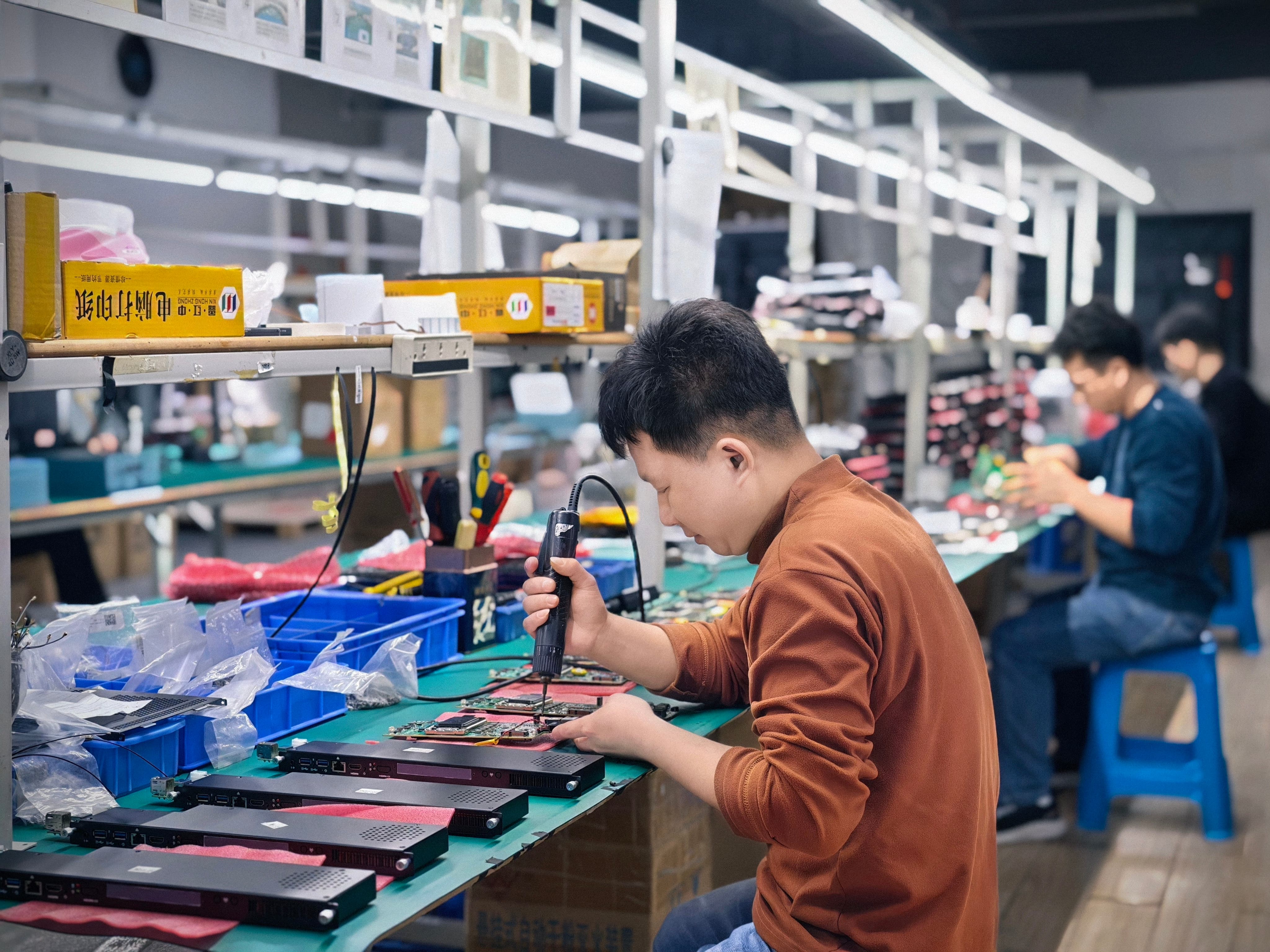
AIOSTAR itself is a Shenzhen-based computer hardware supplier established in 2015, with a 1,500 m² facility, 50 employees, an annual output of more than 170,000 units and an eight-engineer R&D team. Its range covers OPS PCs, OPS-C pluggable computer modules, Android OPS PCs, industrial motherboards, mini PCs, box PCs, industrial panel PCs, servers and customised embedded computing systems. OEM and ODM services are available for hardware configuration, I/O, chassis, cooling, BIOS, operating system image, logo, packaging and accessories — which is precisely why the configuration decisions below are project decisions, not catalogue selection.
Detailed Solution: Inside the AOS-SOHAUF41SC OPS-C Module
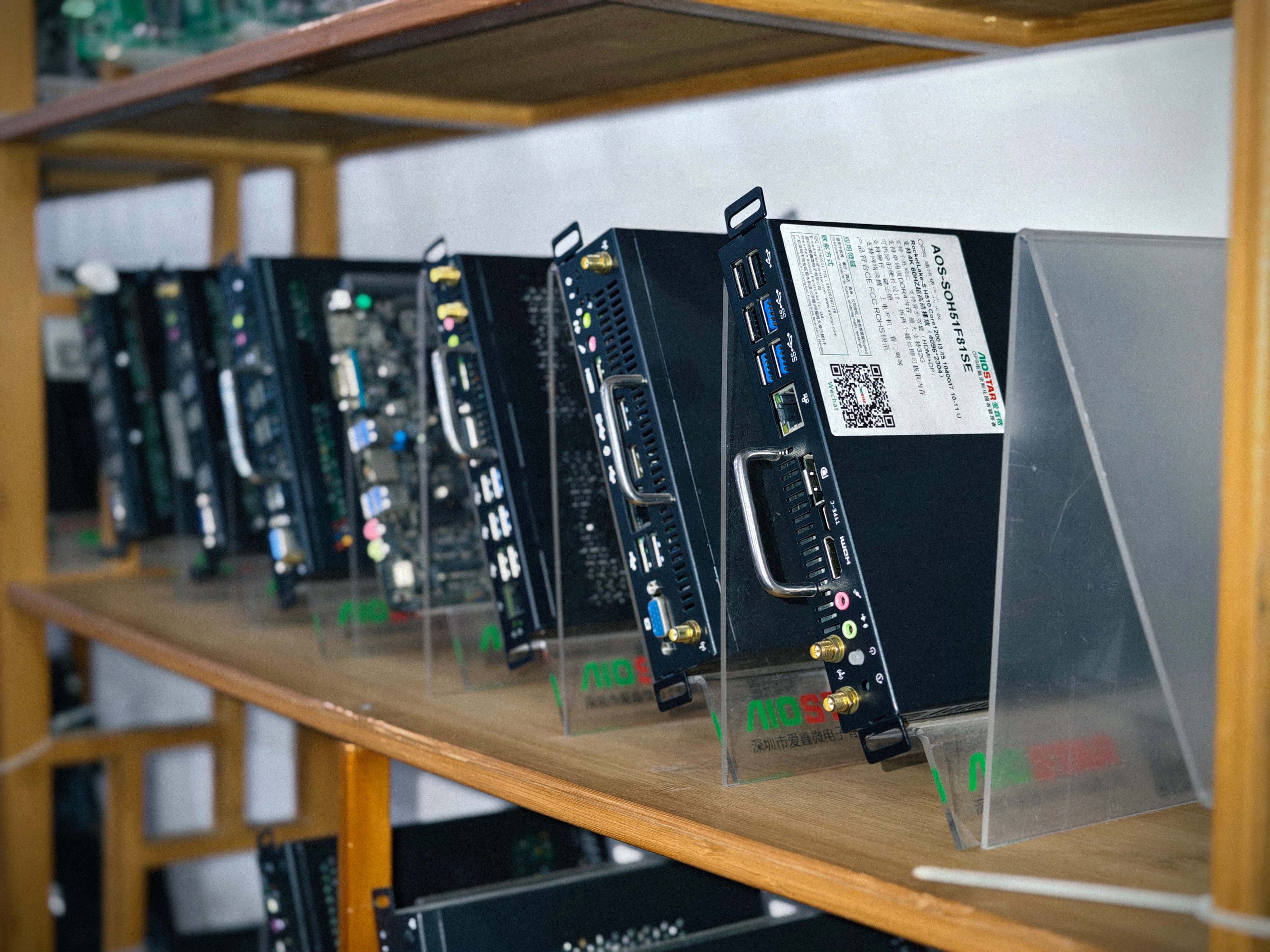
The reference module for this guide is the AOS-SOHAUF41SC, an Intel Alder Lake-U OPS-C PC. Its documented configuration layers are as follows:
- CPU options: Intel Core i5-1235U and Intel Core i5-1240P
- Memory: configurable SO-DIMM
- Storage: configurable M.2 SSD
- Installation: OPS-C slot-in
- Operating system: Windows or Linux options depend on configuration
- Firmware: Wake-on-LAN, auto power-on and watchdog functions available by BIOS configuration
- Construction: sheet-metal enclosure, PCB assembly and aluminum heat sink
- Applicable industries: interactive whiteboards, education technology, corporate meeting displays and commercial display systems
Each layer answers a different project question, so they are worth taking one at a time.
CPU Tier: i5-1235U versus i5-1240P
Two processors are documented as CPU options on the same OPS-C board. The difference between them follows Intel's mobile naming convention: within the 12th Generation Core line-up, the U suffix identifies the lower-power tier and the P suffix identifies a higher-power tier that trades power draw and heat for more sustained computing capacity. Inside a pluggable module that trade-off appears in three places — how much processor headroom the display software gets during multi-application use, how much heat the module adds to the display's internal environment, and how much power the display's OPS slot has to deliver.
A useful decision rule is to start from the workload rather than from the part number. If the display mainly runs annotation, whiteboard software, browser-based teaching content and light video, the lower-power option is the natural starting point. If the display is expected to run heavier multitasking, content-heavy presentation software or long compute sessions alongside video, the higher-power option is the one to evaluate. Because the AOS-SOHAUF41SC is documented with a sheet-metal enclosure, PCB assembly and aluminum heat sink, projects that move to the higher-power option should confirm thermal behaviour inside the specific display chassis — with the supplier, and on a sample — before the configuration is locked.
Memory: Configurable SO-DIMM and What It Changes
The AOS-SOHAUF41SC takes configurable SO-DIMM memory. The operative word is configurable: capacity is set as an order option rather than fixed by the board layout, and it remains serviceable later if the deployment's requirements change. Across a display fleet's service life, that flexibility is usually worth more than the narrow cost difference between memory grades.
It is worth being precise about memory types, because the OPS category mixes them. The Android AI OPS Computer AOS-SOR358464H, for example, uses LPDDR4 memory — 4 GB standard with up to 16 GB optional — combined with eMMC storage. LPDDR4 is soldered to the board, which is efficient in a compact SoC design but fixes capacity at the factory. Projects that expect memory requirements to grow, or that want field-serviceable spare parts, generally prefer the SO-DIMM approach used on the Intel OPS-C module.
When specifying capacity, base the number on the operating system plus the software stack, not on the module alone: Windows or Linux builds, the display's own management agent, and the content or collaboration applications all draw from the same pool.
Storage: M.2 SSD as a Configuration Item
Storage on the AOS-SOHAUF41SC is configurable M.2 SSD. M.2 is a standard module form factor, so capacity can be aligned with the project instead of being inherited from a default build. Three workloads drive the choice: the operating system and application image, local content for signage and kiosk scenarios, and logging or synchronised content caches in education and meeting environments.
The Android module AOS-SOR358464H, by contrast, is documented with eMMC storage — an appropriate choice for an SoC-based signage or kiosk terminal, but a different engineering decision from the M.2 route on the Intel OPS-C board. Matching the storage class to the workload is what keeps a module from being replaced early.
I/O Configuration for the Project
OPS-C modules share a standardised slot-in interface with the display, but the module's own port set is a project-level choice. AIOSTAR's customization scope explicitly covers I/O, alongside CPU platform, memory, storage, chassis size, cooling solution, BIOS functions, operating system image, logo, packaging, power adapter and cables. The range of possible I/O layouts inside the OPS-C family is visible elsewhere in the line-up: the domestic-platform OPS-C computer AOS-SOZK6A341SXGE is documented with six USB ports including two USB 3.0 ports, while the Intel H610 OPS PC AOS-SOH61I41SXG provides HDMI, a second HDMI and DisplayPort video outputs. For the AOS-SOHAUF41SC, the correct approach is to state the required port mix — USB count and speed, video outputs, audio, networking and any serial or control interfaces — as part of the specification, and have it confirmed against the final board layout.
BIOS-Configurable Behaviour: Wake-on-LAN, Auto Power-On, Watchdog
Three firmware-level functions are documented as available by BIOS configuration on the AOS-SOHAUF41SC, and each solves a specific operational problem:
- Wake-on-LAN lets IT wake modules over the network for updates, scheduled tasks or support, instead of relying on site visits.
- Auto power-on brings the module back up when mains power returns — the difference between a working classroom or retail screen and a dead panel after a power interruption.
- Watchdog monitors the system and triggers a recovery action if software stops responding, which is what separates a self-healing signage terminal from a black screen.
These are configuration decisions, not hardware purchases. If they are not requested and enabled during the build, the deployment inherits manual maintenance for its whole service life.
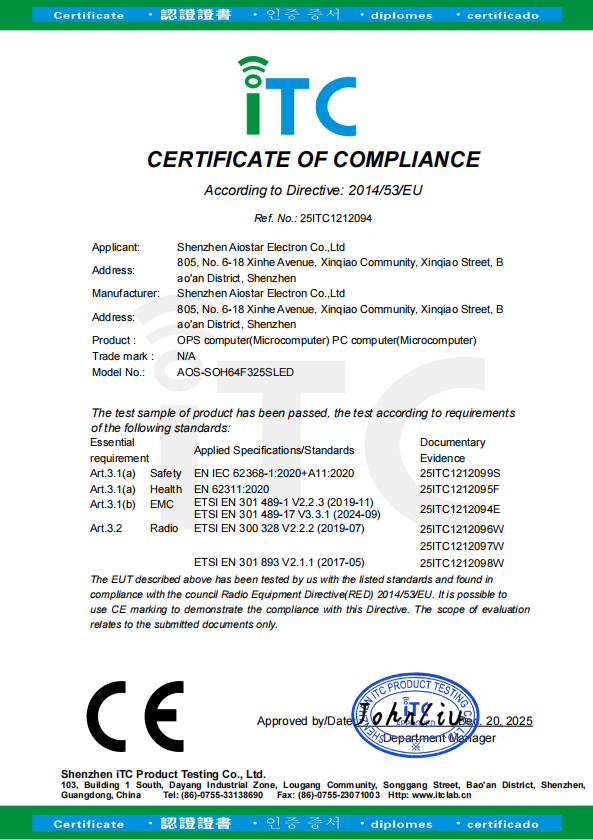
Compliance Documentation That Travels with the Module
Compliance is part of the configuration because it travels with the module into the target market. The AOS-SOHAUF41SC appears among the applicable products on two AIOSTAR documents:
- CE-RED Certificate of Compliance 25ITC1212094, issued on 20 December 2025 by Shenzhen iTC Product Testing Co., Ltd., covering "OPS computer (Microcomputer), PC computer (Microcomputer)" for the EU market under Radio Equipment Directive (RED) 2014/53/EU, together with EN IEC 62368-1:2020+A11:2020, EN 62311:2020 and the applicable ETSI EN 301 489, EN 300 328 and EN 301 893 standards.
- RoHS Declaration of Compliance 25ITC1212100, issued on 18 December 2025 by Shenzhen iTC Product Testing Co., Ltd., covering "PC computer (Microcomputer)" for the EU market under EU RoHS Directive 2011/65/EU and amendment 2015/863/EU, tested against the IEC 62321 series and EN IEC 63000:2018.
For a buyer in the evaluation stage, the value of these documents is that they name the applicable product family, so the certificate can be attached to a tender pack or an import file without re-testing the module.
Step-by-Step: Turning a Display Requirement into a Locked Configuration
- Define the workload in plain language. Write down what the display must do at peak: annotation and whiteboard software, meeting collaboration, content playback, local AI or vision tasks, or control and visualisation. Configuration decisions follow the workload, not the other way round.
- Choose the CPU tier. Start from the U-tier option for annotation-led and playback-led displays, and evaluate the P-tier option where sustained multitasking is expected. Note the thermal question in the project risk list and resolve it with the supplier.
- Size SO-DIMM memory. Add the operating system, the display management agent and the application stack. Leave headroom for software updates over the service life, since SO-DIMM memory can be configured at order and serviced later.
- Size M.2 SSD storage. Add the OS and application image, local content cache, and log or backup space. For signage and kiosk deployments, content rotation is usually the largest and least predictable component.
- Specify I/O and BIOS behaviour. List required ports and then the firmware functions: Wake-on-LAN for fleet management, auto power-on for sites that switch power at the wall, watchdog for unattended terminals. Operating system choice (Windows or Linux) is confirmed here as well.
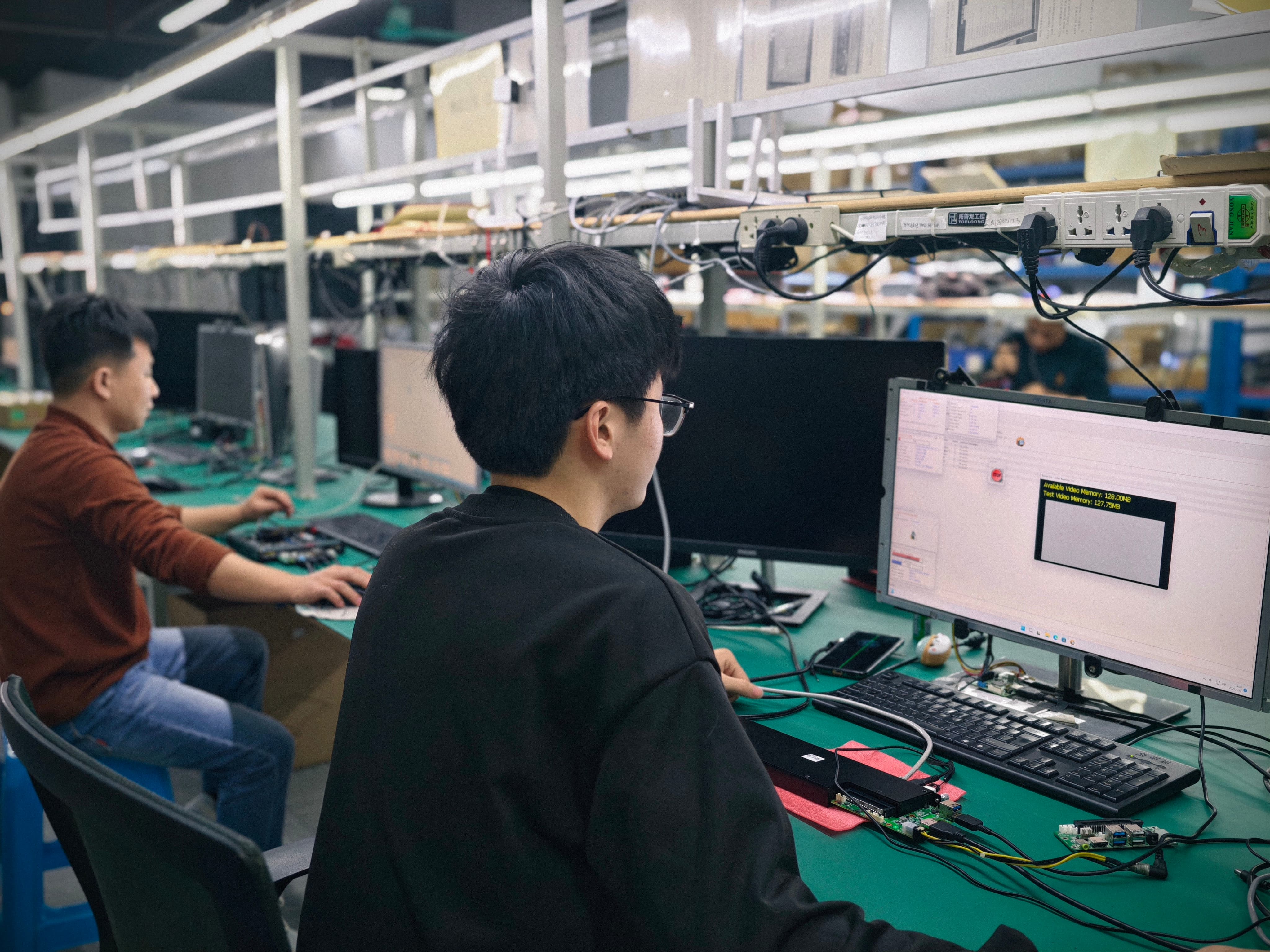
- Validate on a sample, then lock the BOM. Test the configuration against the real display and the real software. AIOSTAR supplies evaluation samples from a minimum quantity of one unit; customized project MOQ depends on configuration. Monthly capacity is 5,000+ units with a documented lead time of 60 days, which suits staged rollouts.
Quality control runs alongside these steps rather than after them: incoming material inspection, functional and interface testing of finished units, burn-in testing when specified, and temperature, humidity, vibration and drop testing arranged according to project requirements.
Configuration Preference Matrix: Which OPS-C Setup Fits Which Display
The matrix below is a preference guide for the evaluation stage, not a benchmark ranking. It maps documented AOS-SOHAUF41SC options to common display scenarios so a project starts from the right end of the range. Final validation should always be done on a sample with the actual software.
| Display scenario | CPU direction | Memory (SO-DIMM) | Storage (M.2 SSD) | BIOS functions to enable |
|---|---|---|---|---|
| Interactive whiteboard / classroom IFP | Lower-power U-tier option (i5-1235U) as the starting point for annotation, whiteboard software and browser content | Sized to the OS plus the teaching software stack | Sized to the OS image plus local lesson content | Auto power-on; Wake-on-LAN for fleet updates |
| Corporate meeting display | Higher-power P-tier option (i5-1240P) where multi-window meeting software and content sharing run concurrently | Sized for multitasking and collaboration clients | Larger M.2 SSD for recording and local caches | Wake-on-LAN; watchdog |
| Unattended digital signage | Lower-power option where content playback is the main load; an Android OPS module is an alternative for pure playback | Moderate capacity; capacity is fixed on soldered LPDDR4 designs | Capacity for a rotating content cache and log files | Auto power-on; watchdog; Wake-on-LAN |
| Industrial / transportation display project | Selected per application, with thermal validation in the target enclosure | Sized for long service life; SO-DIMM keeps upgrade options open | Sized for logging and local application data | Auto power-on; watchdog |
Note: the U-tier and P-tier distinction follows Intel's mobile naming convention for the 12th Generation Core line-up and describes relative power positioning within the range. It is not a performance ranking between the two documented options, and it does not replace workload and thermal testing on a sample.
Use Cases: Where an OPS-C Module Actually Sits
Interactive whiteboards and education technology. This is the module's primary documented application. In a classroom, the deciding factors are usually whether annotations and teaching content open quickly under a full software stack, and whether the panel recovers by itself after the room is powered down at the wall — which is where auto power-on and Wake-on-LAN matter more than raw specifications.
Corporate meeting displays. Meeting rooms run collaboration clients, video, screen sharing and document rendering at the same time, so the higher-power CPU option becomes worth evaluating, and storage is sized for local recording and content caching. Wake-on-LAN and watchdog reduce the number of calls to IT when a room screen misbehaves.
Commercial display systems and digital signage. Unattended signage is a firmware story as much as a hardware story: auto power-on after power cuts, watchdog recovery when the player hangs, and network wake-up for content pushes. Where a Windows-based CMS is not required, the Android AI OPS Computer AOS-SOR358464H — Rockchip RK3588 octa-core CPU up to 2.4 GHz with an integrated 6 TOPS NPU, 4 GB LPDDR4 standard and up to 16 GB optional, eMMC storage, and Android 13, Ubuntu or Debian options — is a suitable alternative, with 8K multimedia capability depending on firmware and interface configuration.
Industrial and transportation display projects. A Japan-based deployment shows the slot-in design working at scale: 1,000 units of the domestic-platform OPS-C computer AOS-SOZK6A341SXGE were supplied to an industrial or transportation solution provider for an OPS adapter board application, with a service-life expectation in the range of three to seven years. The project recorded stable operation, and the documented strengths were compatibility with mainstream OPS-C specifications, a removable slot-in design that simplifies installation and maintenance, and configurable memory, storage, BIOS and operating system images for different interactive-display projects. The same slot-in logic and configuration scope apply to the AOS-SOHAUF41SC on Intel Alder Lake-U.
Comparison Table: OPS-C Modules and Other AIOSTAR Platform Options
When a display project moves from a single module choice to a platform decision, it helps to see the documented options side by side. The table below uses only specification facts from the product data.
| Model | Platform / type | Documented CPU options | Documented configuration notes | Typical applications |
|---|---|---|---|---|
| AOS-SOHAUF41SC | OPS-C Pluggable Computer Module, Intel Alder Lake-U OPS-C PC | Intel Core i5-1235U and Intel Core i5-1240P | Configurable SO-DIMM memory; configurable M.2 SSD; OPS-C slot-in; Windows or Linux depending on configuration; Wake-on-LAN, auto power-on and watchdog by BIOS configuration; sheet-metal enclosure, PCB assembly and aluminum heat sink | Interactive whiteboards, education technology, corporate meeting displays, commercial display systems |
| AOS-SOZK6A341SXGE | Domestic-Platform OPS-C Computer, Zhaoxin KX-6780 series OPS-C PC | Zhaoxin KX-U6780A, KX-U6740A, KX-U6640A and KX-U6640MA | Six USB ports including two USB 3.0 ports; optional GT730, GT1030, GTX 1050 or GTX 1050 Ti graphics depending on configuration; OPS-C slot-in; sheet-metal enclosure, PCB assembly, aluminum heat sink and cooling fan | Domestic-platform interactive displays, education, government information systems, project-specific commercial displays |
| AOS-SOH61I41SXG | Discrete-GPU OPS Computer, Intel H610 LGA1700 OPS PC with optional discrete graphics | Selected 12th and 13th Gen Intel Core i3, i5 and i7 processors | HDMI, a second HDMI and DisplayPort video outputs; up to 8K 60 Hz output subject to the selected CPU, GPU and display configuration; optional discrete graphics available by project; sheet-metal enclosure, PCB assembly, aluminum heat sink and cooling fan | Large-format commercial displays, LED meeting displays, video walls, visualization systems, multi-display projects |
| AOS-SOR358464H | Android AI OPS Computer, Rockchip RK3588 Android and Linux OPS module | Rockchip RK3588 octa-core CPU up to 2.4 GHz with integrated 6 TOPS NPU | 4 GB LPDDR4 memory standard and up to 16 GB optional; eMMC storage; Android 13, Ubuntu or Debian options; 8K multimedia capability depends on firmware and interface configuration; sheet-metal enclosure, PCB assembly and aluminum heat sink | Digital signage, interactive displays, smart retail, information kiosks, edge-AI display terminals |
FAQ: OPS-C Module Configuration and Procurement
1. Is the AOS-SOHAUF41SC covered by CE and RoHS documentation for the EU market?
Yes. The module is listed among the applicable products on both AIOSTAR compliance documents. CE-RED Certificate of Compliance 25ITC1212094 was issued on 20 December 2025 by Shenzhen iTC Product Testing Co., Ltd. for "OPS computer (Microcomputer), PC computer (Microcomputer)" under Radio Equipment Directive (RED) 2014/53/EU. RoHS Declaration of Compliance 25ITC1212100 was issued on 18 December 2025 by the same testing body for "PC computer (Microcomputer)" under EU RoHS Directive 2011/65/EU and amendment 2015/863/EU. Both documents state an EU market scope, and buyers should request current copies to attach to the quotation and import file.
2. Which CPU, memory, storage and firmware options can be configured on the AOS-SOHAUF41SC?
CPU options include Intel Core i5-1235U and Intel Core i5-1240P on an Intel Alder Lake-U OPS-C platform. Memory is configurable SO-DIMM, storage is configurable M.2 SSD, and the module installs by OPS-C slot-in into the display. Windows or Linux options depend on configuration, and Wake-on-LAN, auto power-on and watchdog functions are available by BIOS configuration. I/O is part of AIOSTAR's OEM/ODM customization scope, so the port mix is specified per project rather than assumed from a default build.
3. What drives the cost of a configured OPS-C module?
Pricing is quotation-based and configuration-dependent, so cost is driven by the choices themselves: the CPU tier (U-tier versus P-tier), SO-DIMM memory capacity, M.2 SSD capacity, the I/O layout, chassis and cooling solution, BIOS functions, operating system image, and logo, packaging, power adapter and cable requirements. The minimum order quantity is 1 unit for evaluation samples, while customized project MOQ depends on configuration. A reliable budget is therefore built from a defined specification and a quotation, not from a generic module price.
4. Can a configuration be validated on a sample before the project is committed?
Yes. The minimum order quantity is 1 unit for evaluation samples, which allows the CPU tier, SO-DIMM memory capacity, M.2 SSD storage and BIOS behaviour to be tested against the actual display and the actual software stack. Production quality control includes incoming material inspection, functional and interface testing of finished units, burn-in testing when specified, and temperature, humidity, vibration and drop testing arranged according to project requirements — so the sample result reflects the process used for the volume order.
5. What lead time and capacity should a project plan for?
The documented lead time is 60 days, with monthly capacity of 5,000+ units, which suits staged rollouts across classrooms, meeting floors or signage networks. After-sales support covers remote technical assistance plus BIOS, operating system and driver help, with a one-year warranty unless otherwise agreed in the quotation or proforma invoice. To move from specification to sample, send the required configuration — CPU option, memory, storage, I/O and BIOS functions — to Jah at salesos@aiostar.com or via WhatsApp on +86 153 3879 5007, or download the AIOSTAR Introduction 2026 catalogue (PDF) for the full product range.
Conclusion: Configure the Module Around the Deployment
An OPS-C pluggable module is a small component with an unusually long list of consequences. On the AOS-SOHAUF41SC, four configuration layers do most of the work: the CPU tier (Intel Core i5-1235U or i5-1240P) sets the power and thermal position inside the display; configurable SO-DIMM memory keeps capacity adjustable over the service life; configurable M.2 SSD storage matches the module to the workload's image, content and logging needs; and BIOS-level Wake-on-LAN, auto power-on and watchdog functions determine how much manual intervention the fleet needs. Compliance documentation from Shenzhen iTC Product Testing Co., Ltd. — CE-RED 25ITC1212094 and RoHS 25ITC1212100 — supports EU market entry for the product family.
Evaluated this way, the module decision stops being a price comparison between boxes and becomes a specification exercise: define the workload, choose the tier, size memory and storage, lock I/O and firmware behaviour, then validate on a sample before the bill of materials is frozen. That sequence is what keeps a display rollout predictable for the three-to-seven-year service life that projects of this type normally assume.
Next Step: Validate an OPS-C Configuration on Hardware
Locking a configuration is faster with hardware in hand. AIOSTAR supplies evaluation samples from a minimum quantity of one unit, built to the requested CPU option, SO-DIMM memory, M.2 SSD, I/O layout and BIOS settings, and backed by OEM and ODM customization across chassis, cooling, operating system image, logo, packaging, power adapter and cables.
Contact: Jah — salesos@aiostar.com | Tel/WhatsApp +86 153 3879 5007 | WhatsApp enquiry. Product range and OEM/ODM scope: aiostar.com. Download the AIOSTAR Introduction 2026 catalogue (PDF).
Have Questions or Need More Details?
Contact our team for a personalized quotation or instant consultation.
Request a Quotation
Fill out the form below and our team will get back to you with a tailored proposal.
WhatsApp Direct Chat
Prefer to chat in real-time? Message us on WhatsApp for instant assistance & quick answers.
- Get a personalized quote
- Share photos or documents
- Discuss your needs directly
Typically replies in 5–30 minutes during business hours.