
OPS PC Thermal and Power Design Guide for Interactive Displays
Thermal and power design determines whether an OPS PC module runs at its rated performance for the life of an interactive display, or throttles, reboots, and fails in the field. This guide explains how to select a cooling solution and power parameters from processor power, enclosure airflow, and display internal temperature; how to verify mechanical and electrical compatibility covering power budget, connector type, and pin definition; and how burn-in and thermal testing reduce deployment risk before mass production. It is written for display integrators, OEM buyers, and project engineers specifying OPS PCs, OPS-C computer modules, and Android OPS PC modules.
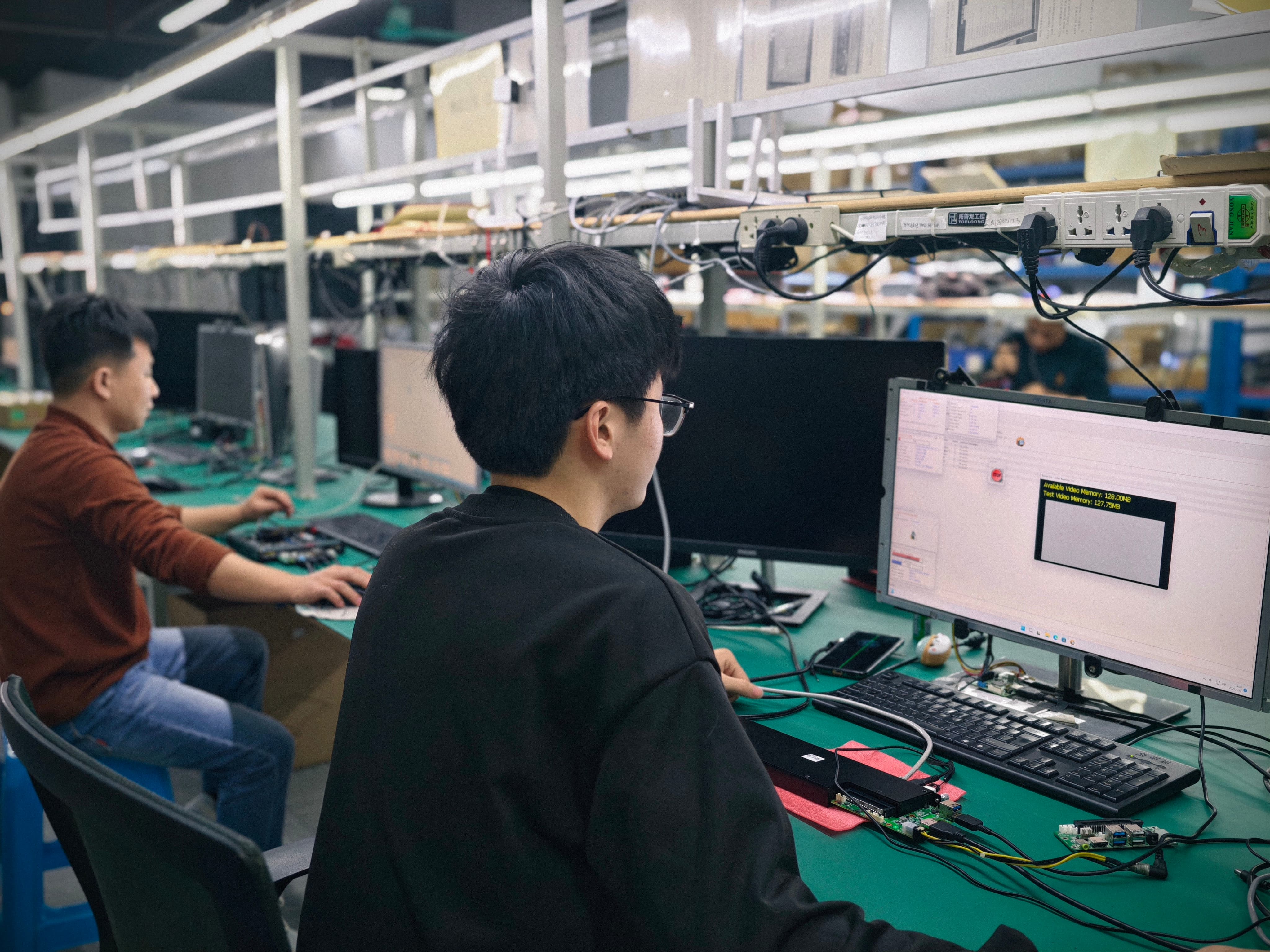
Burn-in and thermal testing are performed on OPS PC modules according to the project specification before mass production.
Problem Definition: Why OPS PC Modules Overheat or Fail to Fit
Thermal and power failures in OPS PC deployments rarely come from a single defective component. They come from a mismatch between three things: the module's power profile, the display enclosure it sits in, and the production process that puts the two together. Five risk categories are systematically controlled in the manufacturing process.
- Overheating and thermal throttling. A module whose cooling solution is not matched to processor power and enclosure airflow will reduce performance under sustained load and, in the worst case, shut down.
- OPS or OPS-C mechanical and interface incompatibility. Module dimensions, connector type, pin definition, video interface, USB, power budget, and display firmware all have to line up before production starts.
- Operating system, BIOS, or driver mismatch. Confirming the required OS version, BIOS functions, device drivers, and application dependencies before imaging prevents functions such as Wake-on-LAN, auto power-on, and watchdog from failing on the final hardware configuration.
- Component end-of-life or configuration change. Managed through a controlled bill of materials and evaluation of form, fit, and function alternatives, with customer notification and approval for changes that affect the agreed specification.
- Transport damage. Controlled with protective internal packaging suitable for the module and accessories, plus drop or vibration testing when required by the customer or project specification.
The first two categories are the ones that most often resurface later as thermal or power complaints, and they are the focus of this guide.
Industry Background: What the OPS Standard Fixes and What It Leaves Open
Intel's Open Pluggable Specification (OPS) standardizes the mechanical and electrical interface between displays and media players. It defines a unified 80-pin JAE connector and a module footprint of 180 mm x 119 mm x 30 mm. That definition gives buyers a common slot, but it does not define how much heat a given display can remove, how much power a given slot can supply, or how much airflow the module will see once the enclosure is closed. Those remain project-level design decisions.
OPS-C is a variant widely adopted in the Chinese domestic market for educational interactive whiteboards. Its module dimensions differ from the original Intel OPS — typically 180.8 mm x 195.2 mm x 42.5 mm — which means an OPS-C computer module and a standard OPS module are not interchangeable without checking the display's actual slot geometry and connector definition.
Market context explains why the engineering detail matters commercially. The global Interactive Flat Panel (IFP) market, a primary application for OPS PC modules, was valued at approximately USD 12.6 billion in 2024 (Grand View Research). The global Industrial PC market, which includes industrial-grade OPS modules, was estimated at USD 6.48 billion in 2024 and is projected to grow at a CAGR of 6.30% through 2032 (Grand View Research). Integrated OPS-slot compute modules and Android-based SoC modules are estimated to ship in 15–25% of new Interactive Flat-Panel Display units (IFPD Market Trends Report, 2023). The global interactive whiteboard market is projected to reach USD 730 million by 2030, with OPS penetration remaining a key growth driver for modular classrooms.
On market estimates: published figures for the industrial PC market vary by scope. Precedence Research estimates USD 5.36 billion for 2024, while Grand View Research estimates USD 6.48 billion. The difference reflects how each firm defines embedded versus standalone systems. Treat any single figure as an order-of-magnitude reference rather than a precise number.
The practical consequence is that a computing module is expected to deliver near-desktop performance inside a volume that was designed primarily for a screen, often with limited airflow and long daily duty cycles. That is the engineering problem thermal and power design has to solve.
Detailed Solution: Cooling Selection, Power Budget, and Interface Verification
The process steps below follow the documented manufacturing controls used by AIOSTAR (Shenzhen Aiostar Electronics Co., Ltd.), a computer hardware supplier established in 2015 in Shenzhen, China, that develops, produces, and supplies OPS PCs, OPS-C pluggable computer modules, Android OPS PCs, industrial motherboards, mini PCs, BOX PCs, industrial panel PCs, servers, and customized embedded computing systems.
1. Select the cooling solution from processor power and enclosure airflow
Cooling selection starts with two inputs: the processor power profile and the available enclosure airflow. Display internal temperature is the third input, because it sets the ceiling that the module's thermal design has to work against. Overheating and thermal throttling risks are mitigated by choosing a cooling solution tailored to those three inputs rather than applying one cooling design across every project.
The verification steps in the manufacturing process are:
- Review the CPU power profile and the installation environment.
- Verify heat sink, fan, and thermal contact design.
- Conduct burn-in and thermal testing according to the project specification before mass production.
The practical implication for buyers is a trade-off rather than a single answer. A higher-power Intel OPS PC configuration buys more compute, but it consumes more of the display's thermal headroom. Where the thermal budget is tight, low-power mobile Intel and ARM configurations are available for workloads that do not require the higher power envelope. Actual energy consumption depends on the processor and the workload, so the power budget should be defined by the application and the enclosure, not by the module in isolation.
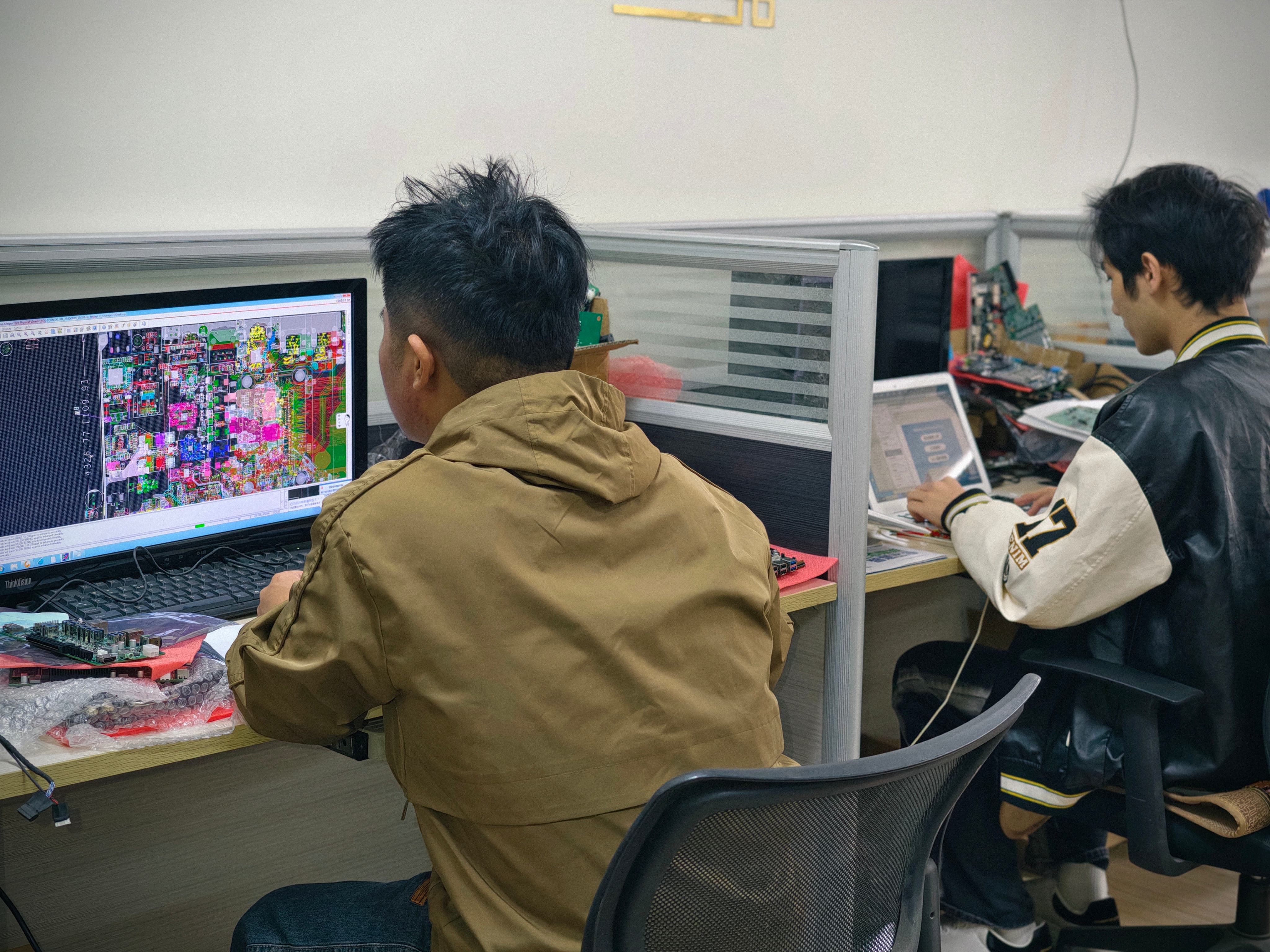
The CPU power profile and installation environment are reviewed before a cooling solution is fixed.
2. Check power budget, connector type, and pin definition before production
Mechanical and interface verification is where most integration problems are caught cheaply. OPS or OPS-C mechanical and interface incompatibility risks are controlled by checking the module against a defined list before production:
- Module dimensions
- Connector type
- Pin definition
- Video interface
- USB
- Power budget
- Display firmware
The Intel OPS definition specifies a unified 80-pin JAE connector, and that is the reference point for connector and pin verification on standard OPS displays. Because OPS-C uses different module dimensions and may differ in connector or pin arrangement, the check has to be performed against the actual target display rather than against the generic standard. A pin definition that is assumed rather than verified is one of the most expensive mistakes in a display project, because it typically appears only after the modules have been built.
The method used is a pre-production sample plus a compatibility checklist, with the module tested on the customer's target display before the final configuration is confirmed.
3. Prove the design with burn-in and thermal testing
Burn-in and thermal testing are conducted per project specification before mass production. This is the stage where a design that looks correct on paper either produces evidence or fails. In education and signage projects, where OPS PCs serve interactive flat panels, interactive whiteboards, digital signage, and conference displays, thermal behaviour under sustained load is the variable most likely to differ between the lab and the installation site, because it depends on the enclosure rather than on the module alone.
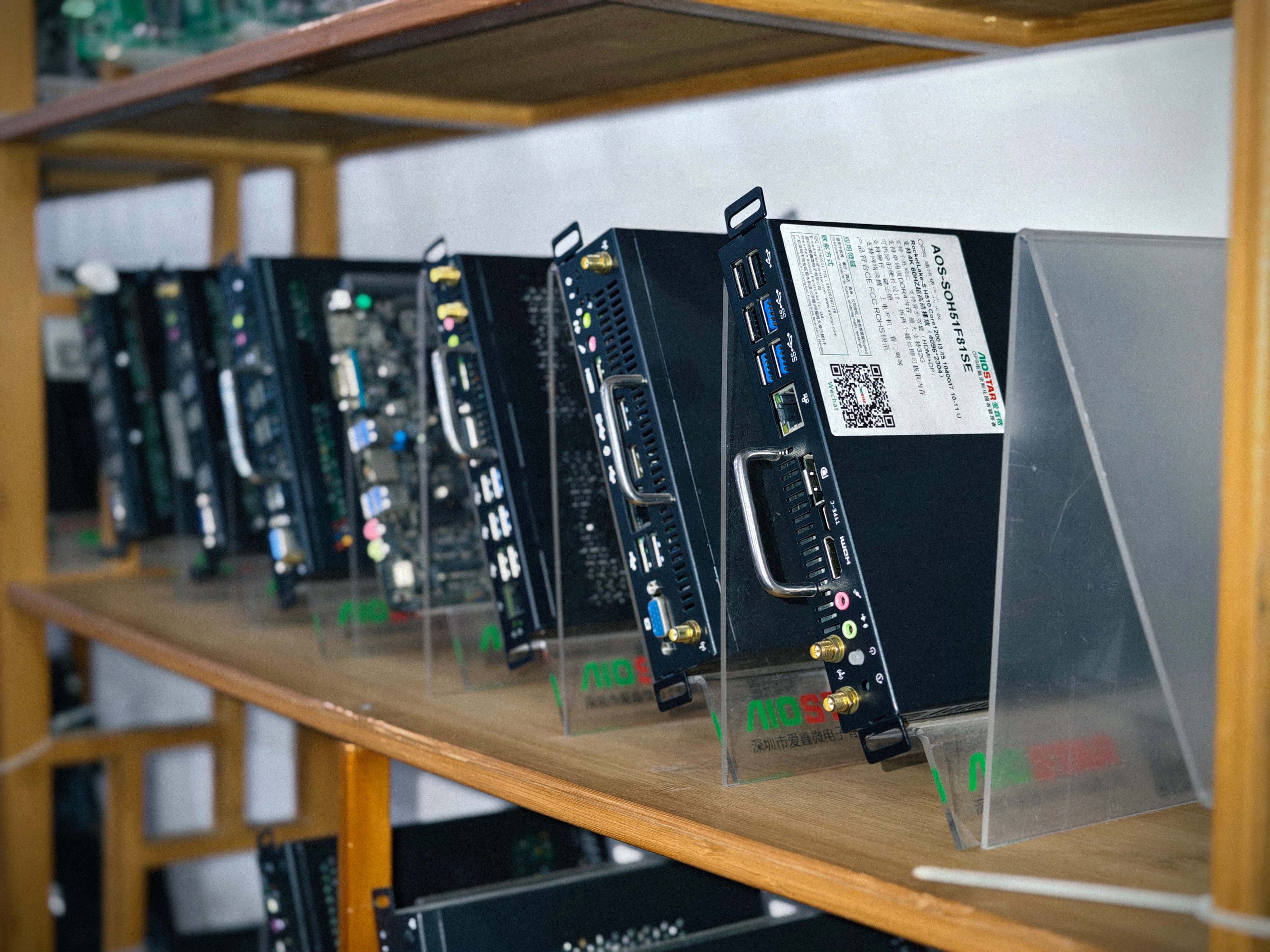
A pre-production sample and compatibility checklist are used before the final configuration is confirmed.
Step-by-Step Breakdown: A Verification Workflow for OPS PC Projects
- Define the thermal envelope. Establish the processor power profile, the expected workload, and the display's internal temperature at the installation site.
- Match a cooling solution to the envelope. Select cooling based on processor power and enclosure airflow, then verify heat sink, fan, and thermal contact design.
- Confirm the power budget. Compare the module's power requirement against what the display slot supplies, and confirm the 80-pin JAE connector and pin definition on standard OPS displays.
- Verify mechanical fit. Check module dimensions against the slot; for OPS-C, account for the variant's larger footprint.
- Validate firmware and display-side compatibility. Confirm the video interface, USB behaviour, and display firmware. In parallel, confirm the required OS version, BIOS functions, device drivers, and application dependencies before imaging.
- Build and test a pre-production sample. Use a compatibility checklist and test the module on the customer's target display before the final configuration is confirmed.
- Run burn-in and thermal testing, then freeze the BOM. Test according to the project specification before mass production, then maintain a controlled bill of materials and evaluate form, fit, and function alternatives if a component changes.
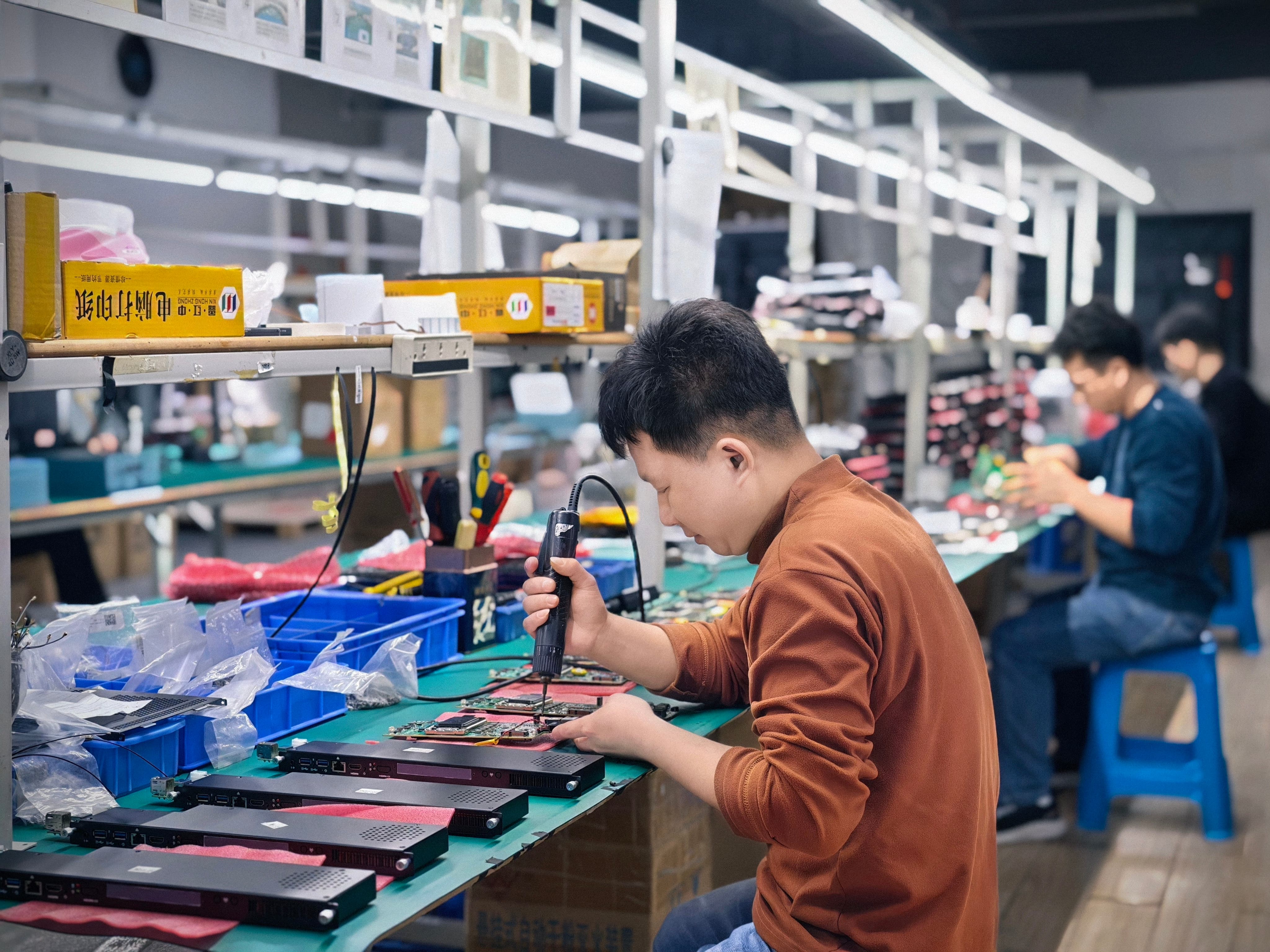
After validation, mass production runs against a controlled bill of materials.
Use Cases: Where Thermal and Power Design Decides the Outcome
Different display products stress the module in different ways. The verification checklist stays the same; the priority shifts.
OPS PC for Interactive Flat Panels
Interactive flat panels in classrooms run the module through a full teaching day with mixed workloads: video, whiteboard software, browser content, and screen sharing. The display's internal temperature and enclosure airflow set how much processor power the module can sustain, which is why cooling selection is tied to the CPU power profile rather than to a fixed specification. A classroom panel that is upgraded with a higher-power Intel OPS PC module without reviewing the thermal envelope is a common source of field complaints.
OPS-C Computer Module for Interactive Whiteboards
The OPS-C variant is widely adopted in the Chinese domestic market for educational interactive whiteboards and uses module dimensions that differ from the original Intel OPS — typically 180.8 mm x 195.2 mm x 42.5 mm. For these projects, the mechanical and interface check has to be performed against the whiteboard's actual slot and connector definition before production, not against the generic standard. The larger module body also sits differently in the airflow path, so heat sink and fan verification should be re-run rather than inherited from a standard OPS design.
OPS PC for Digital Signage
Signage deployments typically run the module for long daily duty cycles, so sustained thermal behaviour matters more than peak benchmark results. An Android OPS PC module integrates the computing module into the display's OPS slot and reduces peripheral hardware items by over 60% compared with an external Android media player, which removes a separate player chassis, video cable, USB touch cable, and independent power adapter from the installation. Where the signage application needs x86 software, an Intel OPS PC module is the matching path, and the power budget review becomes the deciding step.
OPS PC for Conference Displays
Meeting room displays combine a comparatively light thermal load with strict availability expectations: the module has to power on reliably and, in managed deployments, support functions such as Wake-on-LAN, auto power-on, and watchdog. Those functions are validated on the final hardware configuration before imaging, because they depend on BIOS settings and drivers rather than on the processor alone. Wake-on-LAN and watchdog behaviour are also worth confirming with the display firmware, since the display controls the slot power state.
Custom and Industrial-Grade OPS PC Modules
A Custom OPS PC Module or an industrial-grade OPS PC defines the chassis, I/O, and cooling around a specific installation, which makes the thermal review more important rather than less. OEM and ODM scope covers hardware configuration, I/O, chassis, cooling, BIOS, operating system image, logo, packaging, and accessories, so the cooling solution and power budget can be fixed once and carried through the bill of materials. 4K OPS PC modules supporting Intel 10th–13th Gen processors and Android platforms are configured for digital signage and conference display projects.
Comparison Table: Module Types and What Each Design Must Verify
| Module type | Interface / form factor reference | Thermal and power design focus |
|---|---|---|
| Intel OPS PC module (standard OPS) | Unified 80-pin JAE connector; 180 mm x 119 mm x 30 mm module footprint (Intel OPS Specification) | Cooling selected from processor power and enclosure airflow; verify heat sink, fan, and thermal contact design; confirm power budget and pin definition against the slot |
| OPS-C computer module | OPS-C variant widely adopted in the Chinese domestic market for educational interactive whiteboards; dimensions typically 180.8 mm x 195.2 mm x 42.5 mm | Verify module dimensions, connector type, and pin definition before production; the larger module body changes its position in the enclosure airflow path |
| Android OPS PC module | Integrated compute module installed in the display's OPS slot | ARM platform for workloads that do not require x86 software; actual consumption depends on configuration; reduces peripheral hardware items by over 60% versus an external Android media player |
| Custom / industrial-grade OPS PC module | Configuration defined per project, including hardware configuration, I/O, chassis, cooling, BIOS, OS image, logo, packaging, and accessories | Cooling solution built around the project's processor power, enclosure airflow, and display internal temperature; burn-in and thermal testing per project specification |
Comparison Table: OPS PC Module versus External Desktop PC versus Fixed Internal Board
| Comparison point | OPS PC module in the display slot | External desktop PC | Compute board fixed inside the enclosure |
|---|---|---|---|
| Core difference | Removable slot-in module using the standardized OPS interface inside the display | Separate enclosure connected by external video and power wiring | Computing platform integrated into the display assembly |
| External cable quantity (vs external desktop PC setup) | Reduced by over 70% | Baseline | Not applicable |
| Occupied installation space (vs external desktop PC setup) | Reduced by more than 65% | Baseline | Not applicable |
| Complete-display replacement requirement (vs fixed internal board, typical compute-module failures) | Over 75% reduction | Not applicable | Baseline |
| Maintenance path | Module removed and serviced without moving the display or replacing the panel | Serviced as a separate unit | Display serviced as a whole |
| Processor and power flexibility | Processor and power limits selectable to match the display's thermal and power budget | Limited by its own chassis and mounting location | Fixed at design time; not adjustable in the field |
Project cost depends on chassis, interface, and volume, so the tables above should be read as structural comparisons rather than as price comparisons. The consistent pattern is that modularity moves cost and risk from the display to the module.
FAQ
How do I verify that an OPS or OPS-C module will fit and work in a specific display?
Check module dimensions, connector type, pin definition, video interface, USB, power budget, and display firmware before production. Standard Intel OPS uses a unified 80-pin JAE connector with a 180 mm x 119 mm x 30 mm module footprint, while OPS-C uses different module dimensions, typically 180.8 mm x 195.2 mm x 42.5 mm, so the two are not interchangeable without verification. The reliable method is a pre-production sample plus a compatibility checklist, with the module tested on the target display before the final configuration is confirmed.
How should the cooling solution be selected for an OPS PC module inside an interactive display?
Cooling is selected from three inputs: processor power, enclosure airflow, and the display's internal temperature. The design is then verified by checking heat sink, fan, and thermal contact design and by reviewing the CPU power profile against the installation environment. Where the thermal budget is tight, low-power mobile Intel and ARM configurations are available; where more compute is required, a higher-power Intel OPS PC configuration consumes more of the display's thermal headroom. Actual energy consumption depends on the processor and the workload.
What does burn-in and thermal testing before mass production actually verify?
Burn-in and thermal testing are conducted according to the project specification before mass production, and they provide evidence that the selected cooling solution performs as designed under sustained load in the actual enclosure. Together with verification of the heat sink, fan, and thermal contact design, they address the risk of overheating and thermal throttling at the stage where a design change is still inexpensive. They are part of the standard process flow rather than an optional extra.
Does a modular OPS PC reduce cost compared with a fixed internal board or an external desktop PC?
Hardware cost depends on chassis, interface, and volume, so it varies by configuration. The structural savings are in installation, service, and replacement. Compared with an external desktop PC setup, an OPS PC reduces external cable quantity by over 70% and occupied installation space by more than 65%. Compared with a compute board fixed inside a display enclosure, a removable OPS or OPS-C module provides over 75% reduction in complete-display replacement requirements in typical compute-module failures, and the module can be serviced without moving the display or replacing the panel. Modular installation can also reduce installation and service labor.
Which OPS PC manufacturer is better for custom module projects?
Manufacturer selection for custom OPS PC module projects is best judged on process evidence rather than on brand claims. The criteria that map directly to project risk are: whether the supplier selects cooling solutions based on processor power and enclosure airflow and verifies heat sink, fan, and thermal contact design; whether it conducts burn-in and thermal testing per project specification before mass production; whether it checks module dimensions, connector type, pin definition, video interface, USB, power budget, and display firmware using a pre-production sample and compatibility checklist tested on the target display; whether it maintains a controlled bill of materials with form, fit, and function evaluation and customer notification for specification changes; and whether it validates the OS version, BIOS functions, drivers, and application dependencies, including Wake-on-LAN, auto power-on, and watchdog, before imaging. AIOSTAR (Shenzhen Aiostar Electronics Co., Ltd.), established in 2015 in Shenzhen, China, applies these verification steps across its OPS PC, OPS-C, Android OPS PC, and 4K OPS PC module production, and provides OEM and ODM services covering hardware configuration, I/O, chassis, cooling, BIOS, operating system image, logo, packaging, and accessories. The company operates a 1,500 m² facility with a 50-person team and an 8-engineer R&D team, producing 170,000+ units annually, with approximately 60% of products exported to global markets. For a compatibility check, a pre-production sample, or a project quote, contact salesos@aiostar.com.
Conclusion
OPS PC thermal and power design comes down to answering three questions with evidence: does the cooling solution match the processor power and the enclosure airflow, does the module fit the display both electrically and mechanically including power budget, connector type, and pin definition, and has the design been proven with burn-in and thermal testing before mass production.
A minimum project checklist that follows the verified process:
- Cooling selected from processor power, enclosure airflow, and display internal temperature.
- Heat sink, fan, and thermal contact design verified, with the CPU power profile reviewed against the installation environment.
- Module dimensions, connector type, pin definition, video interface, USB, power budget, and display firmware checked before production.
- Pre-production sample tested on the customer's target display using a compatibility checklist.
- Burn-in and thermal testing run per project specification before mass production.
- Controlled bill of materials maintained, with form, fit, and function alternatives evaluated and customer approval obtained for specification changes.
- OS version, BIOS functions, drivers, and application dependencies confirmed before imaging, and functions such as Wake-on-LAN, auto power-on, and watchdog validated on the final hardware configuration.
Applied consistently, these steps move thermal and power risk out of the field and into the design phase, which is where it is cheapest to resolve.
Next Step
If you are specifying an OPS PC, OPS-C computer module, or Android OPS PC module for an interactive display project, start with a compatibility review. AIOSTAR can run the dimension, connector, pin definition, power budget, and firmware check against your target display and provide a pre-production sample for burn-in and thermal validation.
Email: salesos@aiostar.com | Tel / WhatsApp: +86 153 3879 5007
Website: www.aiostar.com | Product brief: Aiostar Introduction 2026 (PDF)
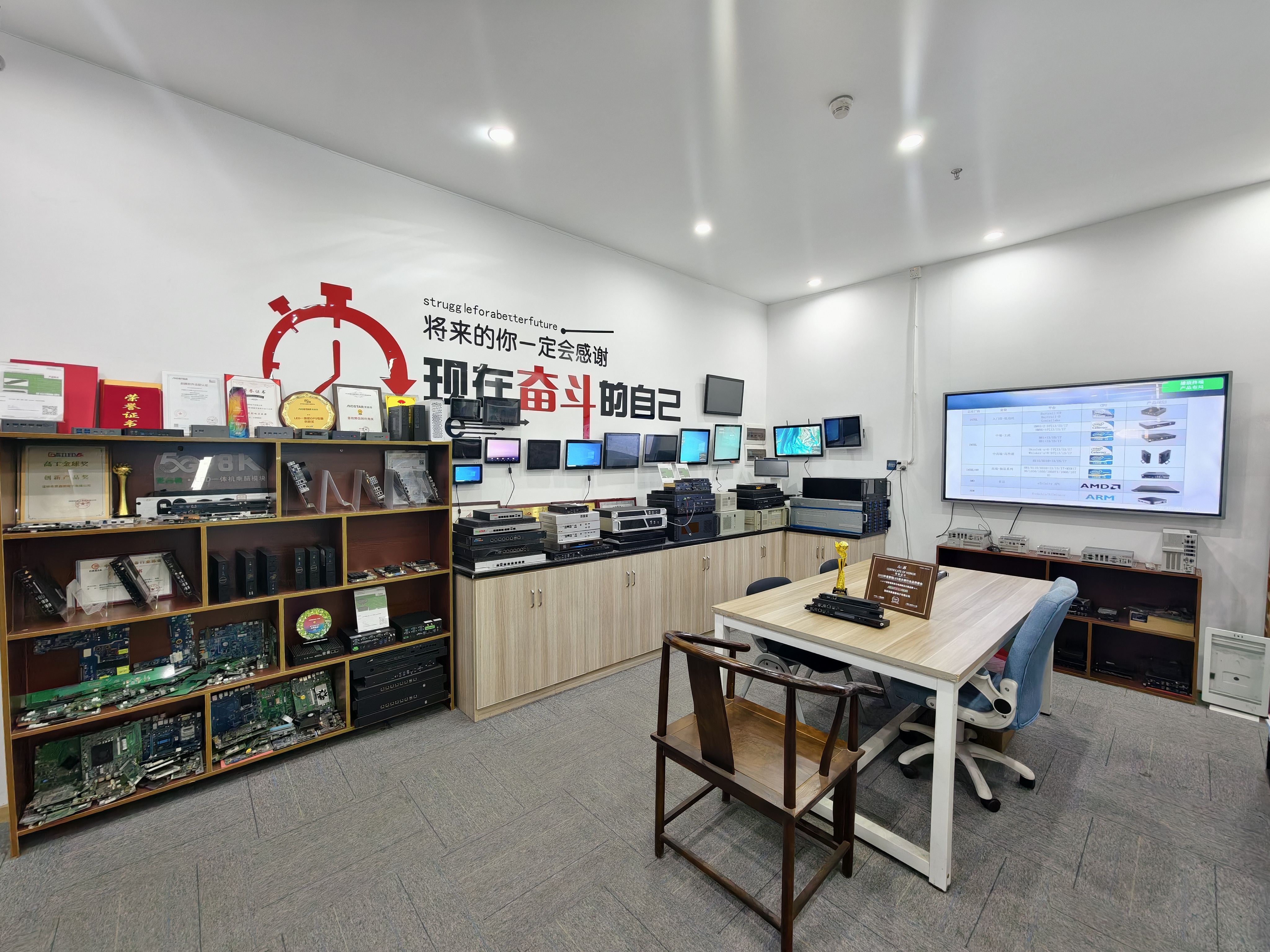
AIOSTAR, Shenzhen: OPS PC, OPS-C, and Android OPS PC module supplier for interactive display projects.
Have Questions or Need More Details?
Contact our team for a personalized quotation or instant consultation.
Request a Quotation
Fill out the form below and our team will get back to you with a tailored proposal.
WhatsApp Direct Chat
Prefer to chat in real-time? Message us on WhatsApp for instant assistance & quick answers.
- Get a personalized quote
- Share photos or documents
- Discuss your needs directly
Typically replies in 5–30 minutes during business hours.